Overview
- Role
- UX Designer & Accessibility Lead · Task & Timeline Coordinator
- Timeline
- Sep 2025 — Apr 2026 (2 semesters)
- Team
- 4 UMSI students, with MHNSC’s faculty leads as clients
- Tools
- Google Sites · Figma · Miro · Canva · Zoom
- Methods
- Accessibility Audit · Card Sorting · Usability Testing · Survey · Affinity Mapping · Personas
TL;DR
Over two semesters, my team of four UMSI students partnered with the Michigan Healthy Nail Salon Cooperative (MHNSC) to redesign the website nail salon workers rely on for health and safety information. An accessibility audit, card sorting, a survey and three rounds of usability testing showed people were guessing their way through the site, so we rebuilt it inside Google Sites around how they actually look for information, with one Salon Safety hub, plain-language labels, clear contact paths and scannable visuals. All three evaluation participants preferred the redesign, and we handed it off with tutorials so the client can keep it up to date.
- 2Semesters, Sep 2025 – Apr 2026
- 3Rounds of usability testing
- 8Research participants
- 33Cards in the open card sort
- 3/3Evaluation participants preferred the redesign
The Michigan Healthy Nail Salon Cooperative (MHNSC) is a group of University of Michigan researchers and students working to protect the health and safety of nail salon workers and owners through three pillars: research, education, and advocacy. Many of the workers it serves are immigrants, often Vietnamese, with limited English proficiency.
Its website was meant to be their hub for safety resources and free chemical safety training. Our year-long UMSI capstone set out to make it one.
The constraint
The client team maintains the site on their own, so everything had to be built directly in Google Sites: no custom code and no new platform. The prototype is the live website.
Why couldn’t salon workers find safety information on a site built for them?
Nail salon workers face ongoing exposure to harmful chemicals and occupational hazards, yet access to clear, usable health and safety information remains limited. MHNSC’s website was functional but overly academic and text-heavy, and it was not built for the people who needed it most.
The original site
- Safety information scattered across Resources, Salon Safety and About
- Dense, academic text and jargon like “The Toxic Trio”
- Infographics with text locked inside images: no alt text, impossible to translate
- No direct way to contact the director
- Inconsistent, dated visuals that undermined trust
Our goals
- Reorganize navigation around how users think
- Simplify content to plain language (6th–8th grade)
- Make contact pathways explicit and easy to scan
- Prioritize scannable, visual formats
- Keep it maintainable in Google Sites after handoff
Problem statement
Users lack a reliable and intuitive way to locate, understand, and engage with critical health and safety resources on the MHNSC website.
How might we…
How might we make MHNSC’s health and safety resources easy to find, understand, and trust, for workers with varying levels of English, within the limits of Google Sites?
My contributions
I was one of four UMSI students on the team. My role grew with the project, from leading accessibility in the fall to keeping a two-semester project on track in the winter.
- Design & accessibility leadLed the language and accessibility questions at our client kickoff and co-ran the accessibility audit of the original site.
- Accessibility
- Client Communication
- Task & timeline coordinatorBroke down weekly tasks, managed deadlines and ran our weekly check-ins, so every milestone landed on time across both semesters.
- Project Management
- Research & synthesisRecruited through six U-M student organizations, moderated usability and card-sort sessions, led our synthesis session and was Analysis & Synthesis Lead for the final evaluation.
- Usability Testing
- Synthesis
- Design directionDrafted our design principles and UX goals, reorganized content into the new information architecture and wrote the guide our team used to critique wireframes.
- Design Principles
- Information Architecture
A year-long, research-led process
- 01Discover · Fall 2025Client kickoff, project scope, desk research and a comparison with peer nail salon coalitions
- 02Plan · Nov–Dec 2025Research plan, recruitment outreach and a $160 grant for participant compensation
- 03Research · Jan–Feb 2026Accessibility audit, card sorting, usability testing and a survey
- 04Synthesize · Feb 2026Affinity diagram, personas, journey map and a new site map
- 05Design & test · Feb–Apr 2026Sketches, wireframes, Google Sites builds and two more rounds of testing
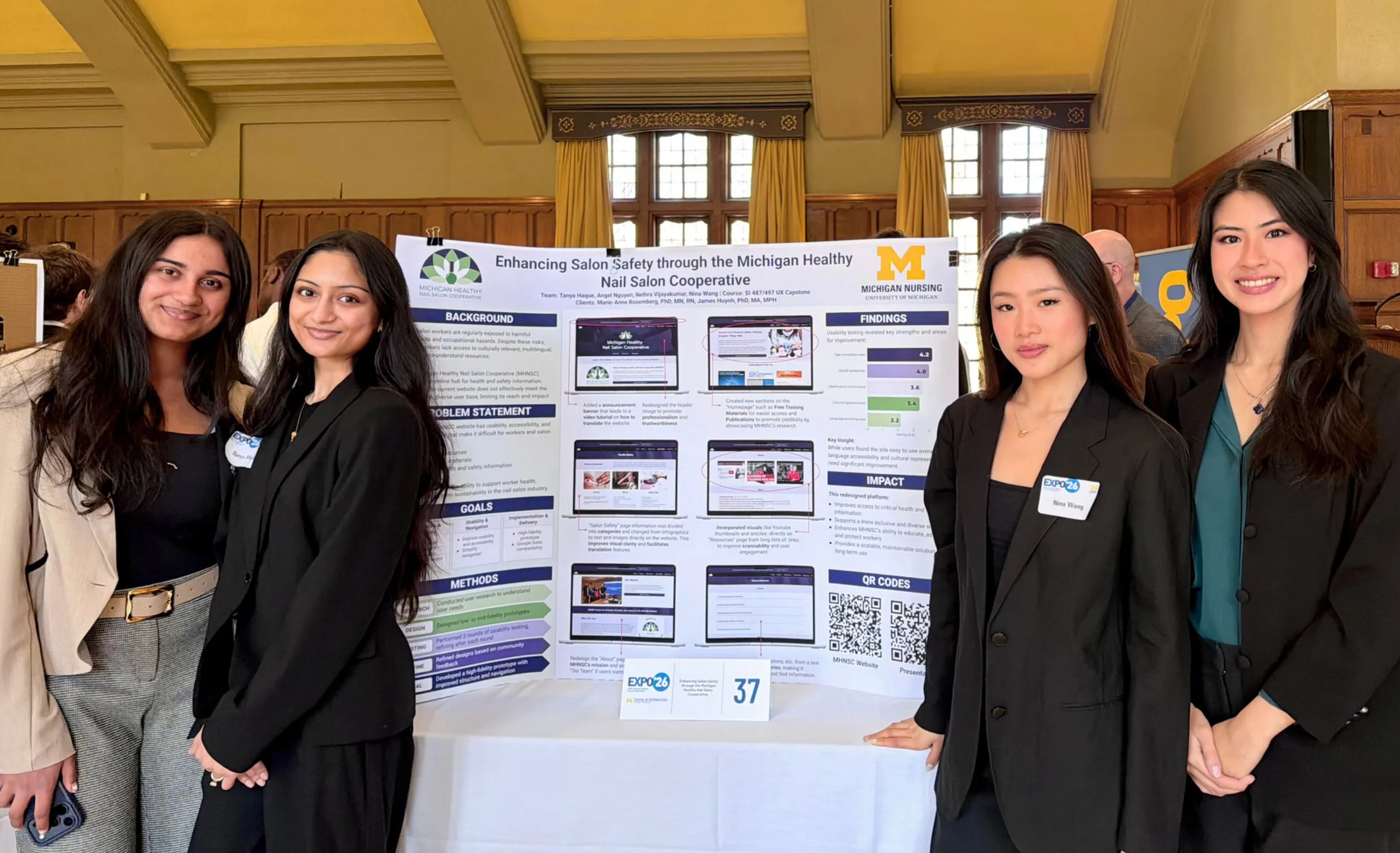
- 06Hand off · Apr 2026UMSI Expo, tutorial videos and a guide to switching the live domain
What we learned from users
We used a sequential, mixed-methods approach. Each method built on the last: card sorting explored how people group information, usability testing showed how they actually move through the site, and a survey checked the patterns we saw.
- Accessibility auditWAVE, axe DevTools, keyboard, screen-reader and 200% zoom checks across the site
- Open card sort33 cards in Miro, to see how users naturally group MHNSC’s content
- Usability testingModerated Zoom sessions, 5 tasks and think-aloud on the original site
- SurveyEase of use, trust, readability and preferred content formats
Participants were young adults (21–25) with direct ties to the nail salon industry: family-run salons, a former salon receptionist, relatives who are licensed technicians. We recruited them through the Vietnamese Student Association, other student groups, family and friends. Because the group was small and specific, we report exact fractions instead of percentages.
The accessibility audit
- Alt textMissing on nearly all images
- Color contrastErrors site-wide
- Infographic textLocked inside images
- Director contactNot listed anywhere
Three key insights
Navigation didn’t match how users think
Users completed 4 of 5 tasks on average, but by trial and error, often checking the wrong section first, like looking in Resources before finding safety tips in Salon Safety. In the card sort, both participants put the core safety cards into one group of their own: they expected a single “safety hub.” Toggle between the two participants’ sorts below.
It’s just, like, a huge list. And it’s not really categorized or anything.
Participant 1
“About Us”
5 cards- Our Team
- What We Do
- Publications from Us
- Who We Are
- Follow Us on Social Media
“Safety Information”
13 cardsSafety hub
- Salon Safety Series
- Understanding Safety Data Sheets
- Safety & Prevention
- Routes of Exposure(confusing label)
- Safe Product Storage
- MHNSC Nail Salon Chemical Safety Training Registration
- The Toxic Trio(confusing label)
- Salon Ventilation Myths
- Protecting Yourself from Nail Infections
- Safety Tips
- Signs of Infection
- Videos
- Improving Ergonomics(confusing label)
“Research Information”
4 cards- News
- Documents
- Publications from Other Groups
- Research
“More General Information”
2 cards- Advocacy
- How the Vietnamese Became Nail Salon Giants
Participant 2
“Tabs”
6 cards- Home
- About Us
- Resources
- In the News
- Salon Safety
- Contact Us
“About”
5 cards- Our Team
- Who We Are
- What We Do
- Our Mission
- Follow Us on Social Media
“Health”
7 cardsSafety hub
- Safety and Prevention
- Salon Safety Series
- Salon Ventilation Myths
- Safe Product Storage
- Protecting Yourself from Nail Infections
- Safety Tips
- Signs of Infection
“Articles”
10 cards- Improving Ergonomics(confusing label)
- Toxic Trio(confusing label)
- Understanding Safety Data Sheets
- How the Vietnamese Became Nail Salon Giants
- Documents
- Videos
- MHNSC Salon Chemical Safety Training Registration
- Publications from Us
- Publications from Other Groups
- Routes of Exposure(confusing label)
“Academics”
5 cards- Advocacy
- Projects
- Research
- News
- Education
Labels participants found confusing
Jargon and dense text blocked understanding
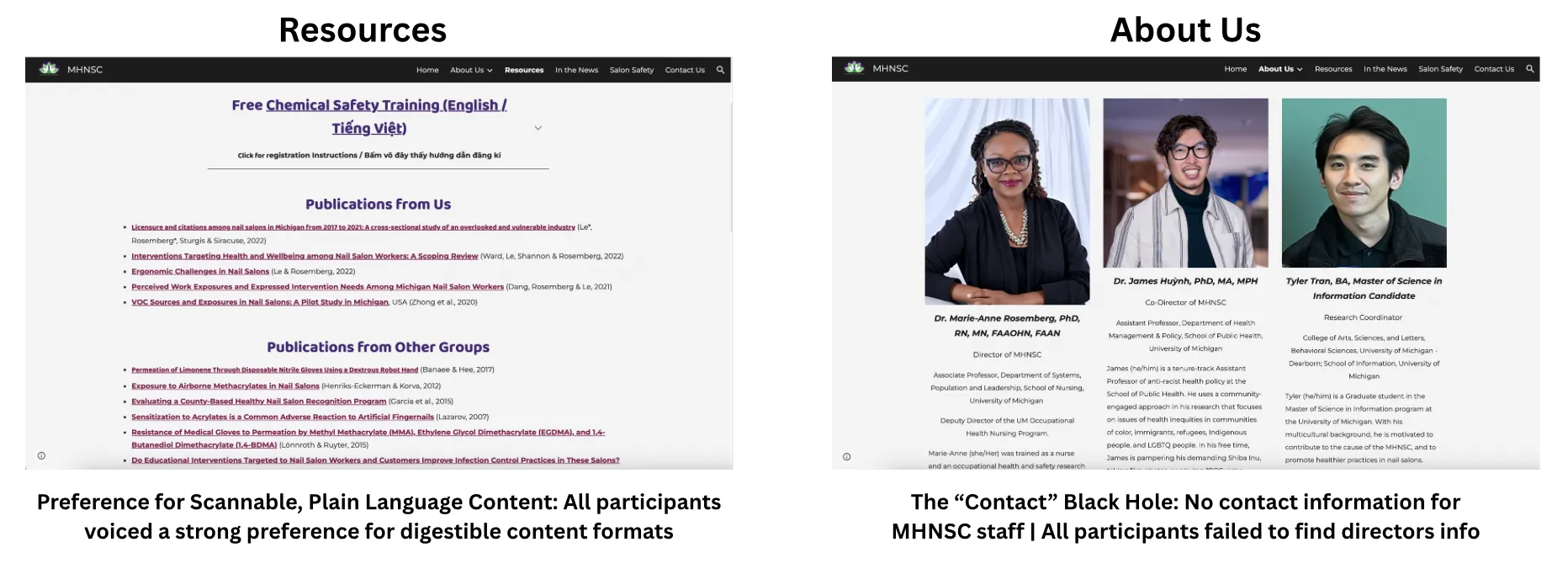
Specialized labels caused hesitation and confusion, and long paragraphs were especially hard for someone less proficient in English. Every participant asked for information to be “chunked up” and visual.
- The Toxic Trio
- Routes of Exposure
- Improving Ergonomics
I hate, like, reading, like, a lot of words, or, like, big paragraphs… chunk it up, I guess, but also be succinct and, like, straightforward.
No clear contact path undermined trust
Every participant failed to find the director’s contact information. They fell back on a general form, unsure their message would reach the right person. In the survey, the two participants who struggled most rated their likelihood to recommend the site 1/5 and 2/5.

The “contact” black hole

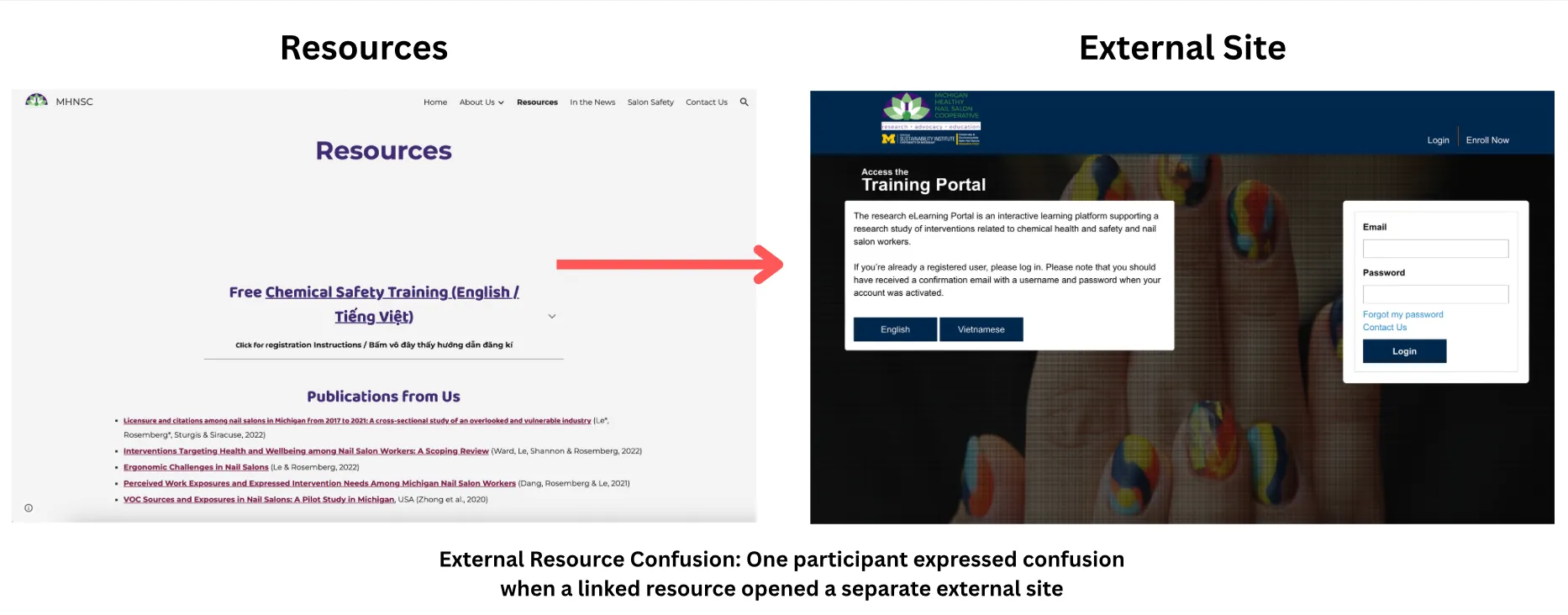
Links that left the site
Who we designed for
Personas kept us from designing for “everyone.” Linh, a licensed nail technician, is our primary user; Alex, a student learning safe nail practices, represents supporting users.

User persona
Linh Tran, Primary Persona
Linh works full-time in a nail salon and is familiar with common health and safety risks through workshops, license renewal, and social media. She visits MHNSC to quickly find practical, trustworthy resources for her work.
- Age
- 42
- Role
- Licensed Nail Tech
- Language
- Vietnamese + moderate English
- Device
- Mobile
- Tech comfort
- Moderate
Motivations
- Motivated to prevent health risks for herself and clients
- Wants confidence in safe, legally appropriate practices
- Values clear, credible information
- Prefers efficient learning that fits a busy workday
Goals
- Find specific safety topics
- Confirm best and legally compliant practices
- Access Vietnamese-language resources
- Learn quickly without reading long text blocks
Frustrations
- Resources feel overwhelming and uncategorized
- Vietnamese materials are hard to locate
- Content is text-heavy and hard to scan
- Clickable elements are unclear
Behaviors
- Completes simple tasks quickly
- Tries multiple paths when information isn’t obvious
- Uses translation tools as a workaround
- Prefers information grouped into clear categories
Needs
- Categorized resources
- Visible language options
- Scannable layouts (headings, visuals)
- Clear visual cues for interaction

User persona
Alex Wilson, Secondary Persona
Alex is a student who does her own and her friends’ nails. While not licensed, she is increasingly aware of nail health and safety risks and uses MHNSC to learn safe practices and find credible information beyond social media.
- Age
- 22
- Role
- Student
- Language
- English
- Device
- Mobile + Desktop
- Tech comfort
- High
Motivations
- Wants to avoid unsafe nail practices
- Seeks reliable information beyond social media
- Wants reassurance she is learning the right way
Goals
- Learn basic nail safety practices
- Understand MHNSC’s mission and role
- Find trustworthy, beginner-friendly resources
- Know who to contact with questions
Frustrations
- Unsure where to look for information
- Navigation labels feel unclear
- Contact information is hard to find
- No search when she feels stuck
- Clickable elements are unclear
Behaviors
- Clicks through multiple sections when unsure
- Relies on navigation labels for direction
- Slows down when hierarchy is unclear
- Abandons tasks when information isn’t surfaced
Needs
- Clear starting points for beginners
- Descriptive navigation and page titles
- Search functionality
- Simple explanations with visual cues
From insights to direction
Design principles
I turned our research into four principles that guided every design decision, each tied to a measurable UX goal.
- 01Clarity over ComplexityPlain language, scannable content and intuitive organization over industry jargon and dense text.
- Goal: 6th–8th grade reading level
- 02Design for TrustTransparent contact pathways and clear, authoritative language, so users feel confident recommending the site.
- Goal: Clear contact on every page
- 03Meet the User’s Mental ModelOrganize content the way users naturally group it, like a consolidated “safety hub.”
- Goal: First-click findability
- 04Prioritize ScannabilityInfographics, icons and clear headings so critical safety information can be found at a glance.
- Goal: 75% of key resources visual
A new information architecture
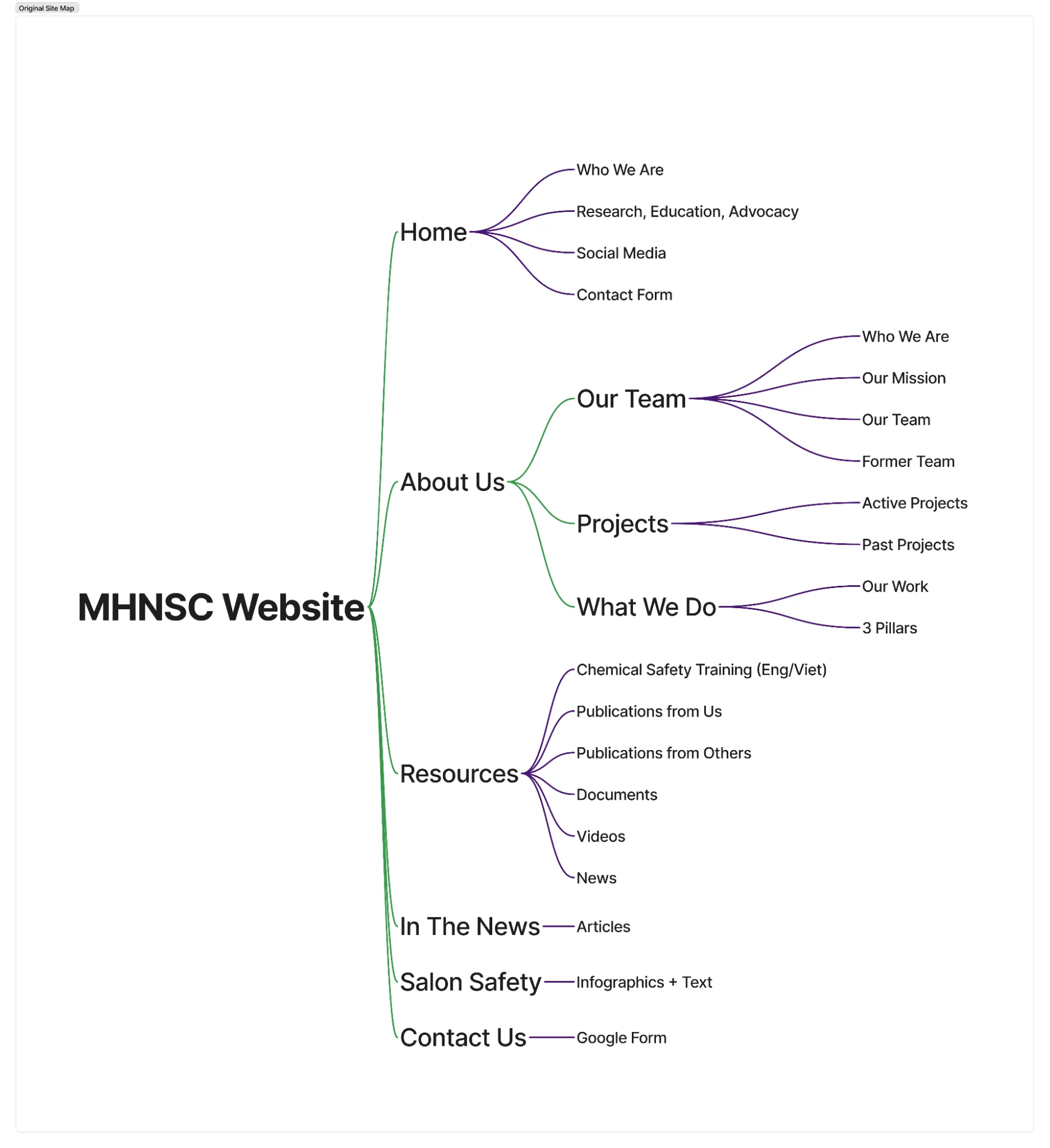
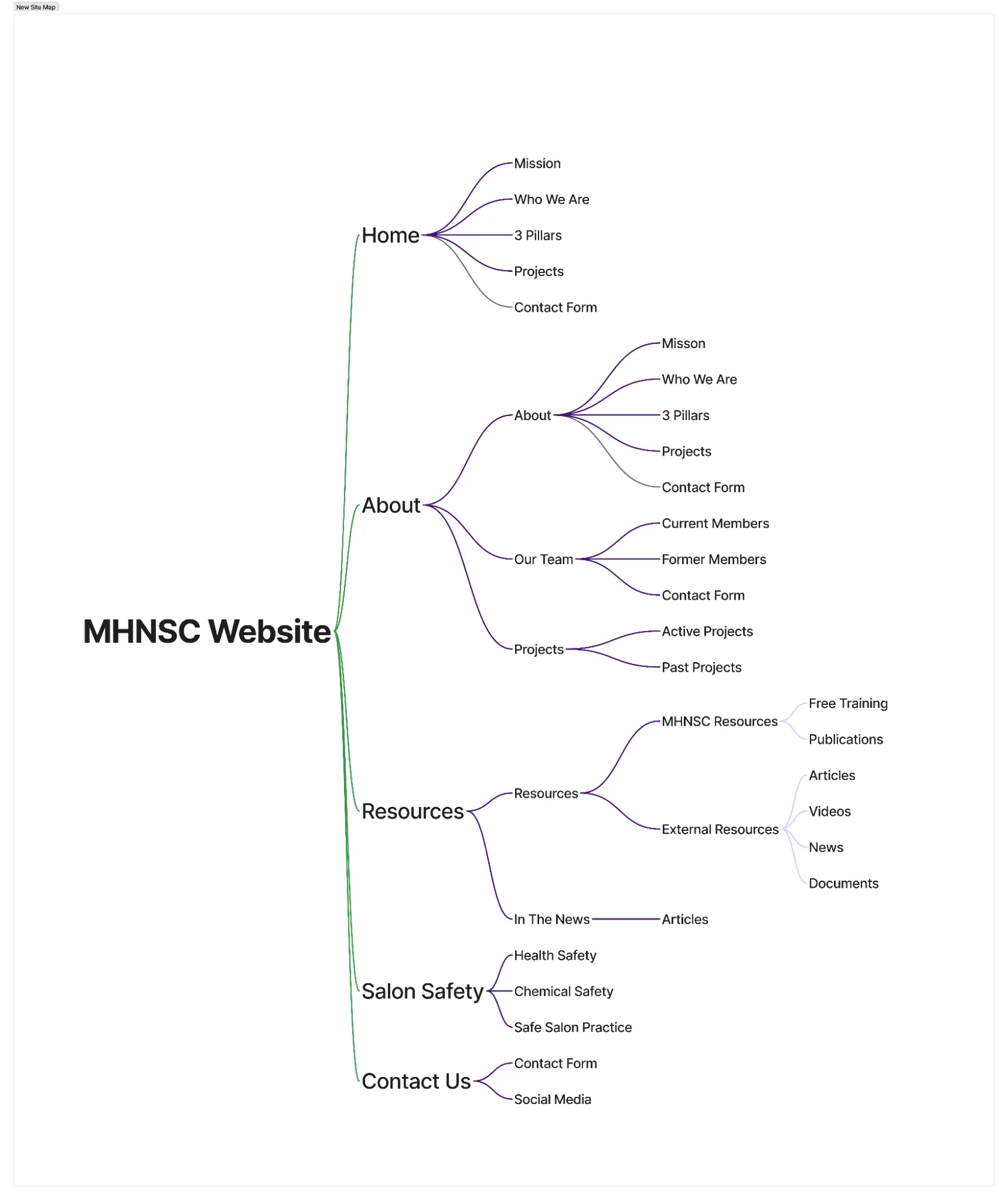
Card sorting became our new site map. Safety content now lives in one Salon Safety hub with three clear categories, “What We Do” became the three pillars on About, and In the News moved under Resources, which now separates MHNSC’s own work from external resources.

Original site map

New site map
Designing within Google Sites
From sketches straight to a live build
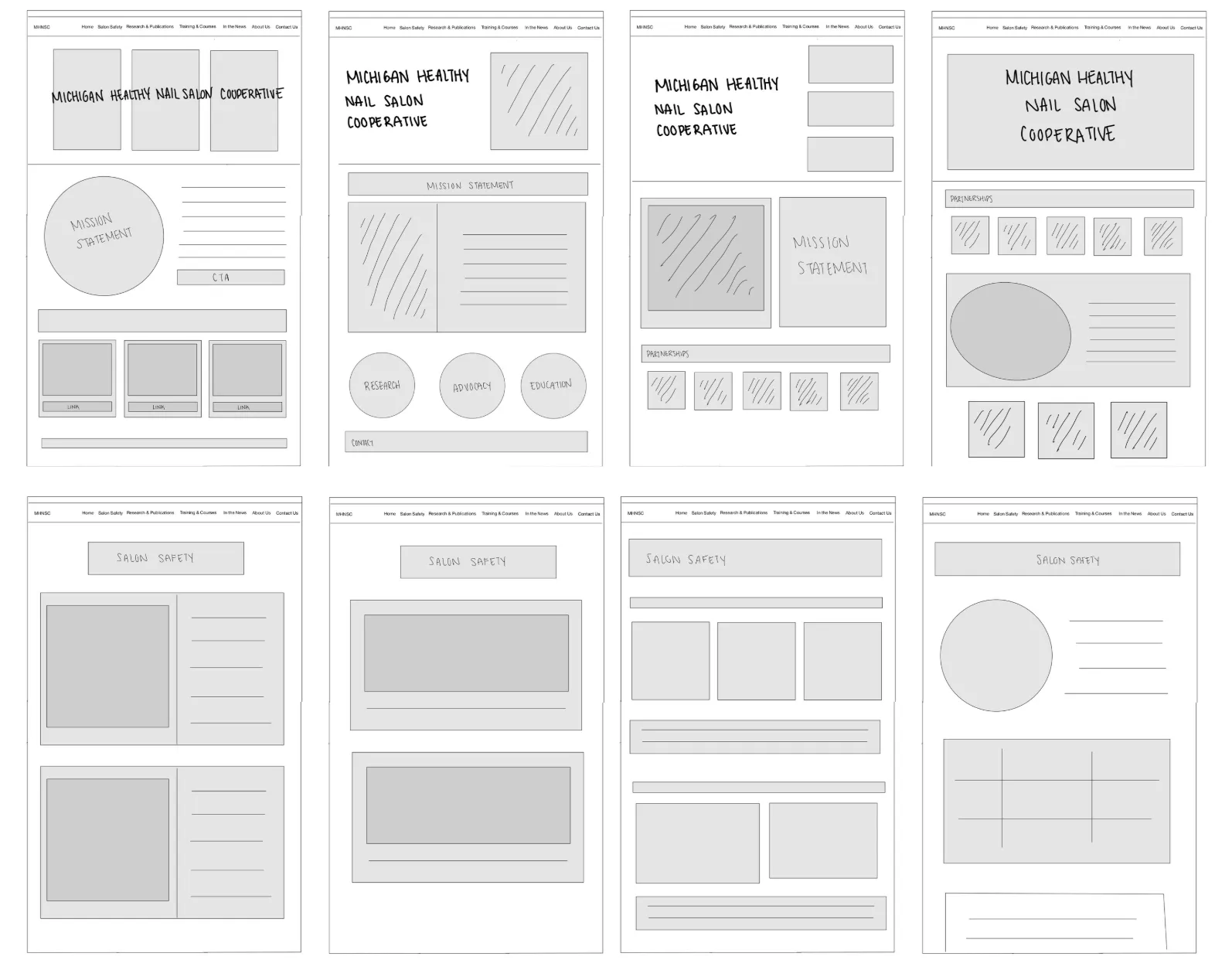
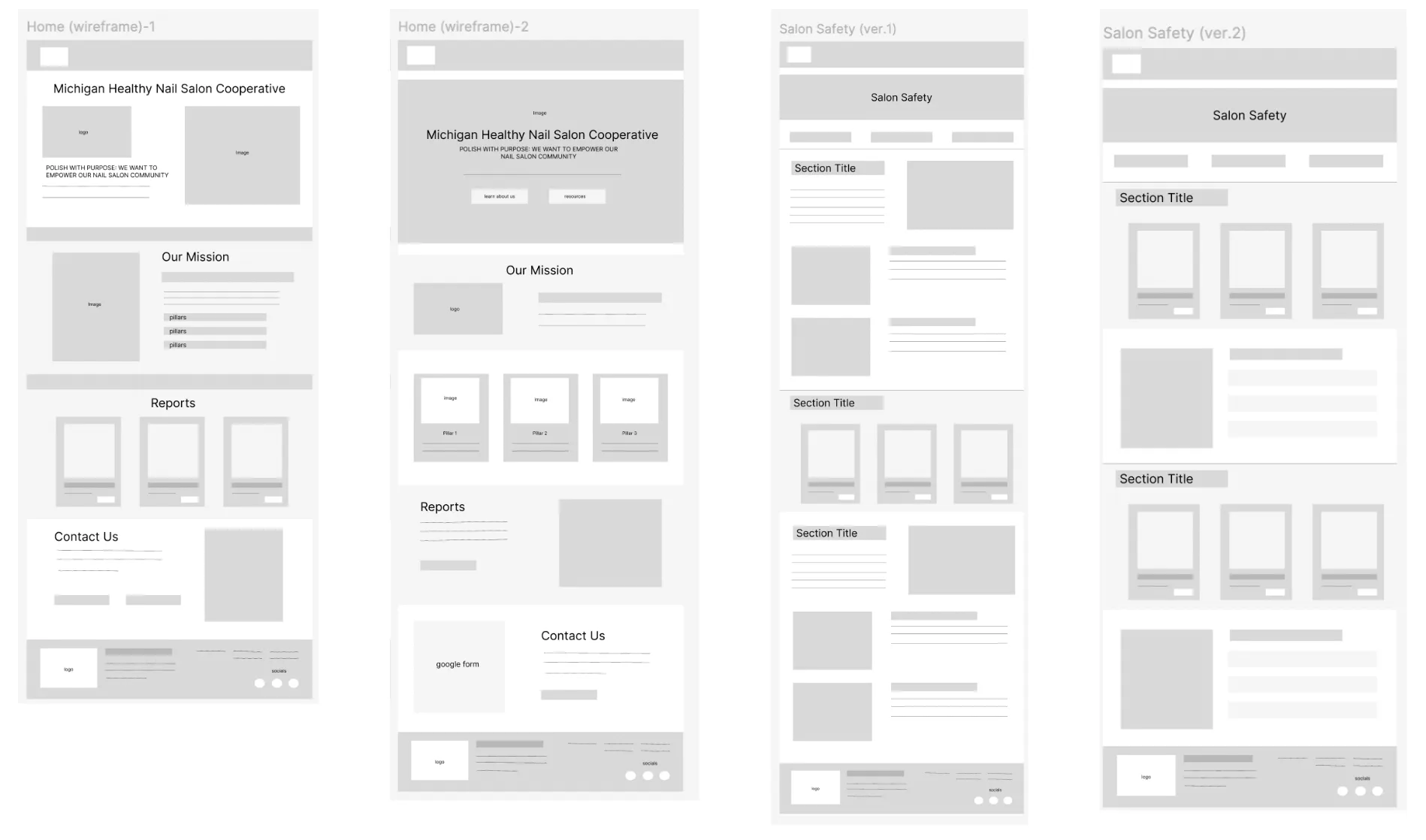
We sketched layouts for the homepage and Salon Safety page, then made two wireframe versions of each. Because Google Sites was both our prototyping tool and our final product, we skipped a separate mid-fidelity phase and built directly in Google Sites, so every test happened on the real interface.

Initial sketches

Wireframes (v1 and v2)
A guide I wrote for the team
To keep critique productive, I wrote a guide for giving feedback on wireframes: anchor every comment in what we learned from users, not personal preferences. Each review asked three questions: Does the structure match how users think? Can all users understand what they’re seeing? Does this feel like a reliable resource users would share?
Key design decisions
- 01Reorganized navigationConsolidated scattered content, removed redundant options and used plain-language labels.
- Mental Models
- Cognitive Load
- 02Plain language & clear labelsReplaced jargon and used words users expect, like naming the three “pillars” directly.
- Clarity
- Accessibility
- 03Scannable visual hierarchyOne type system (Prompt + Montserrat), purple color-coded sections, icons and spacing to break up dense content.
- Hierarchy
- Scannability
- 04Visuals that explainInfographic text rebuilt as real, translatable text with images, diagrams and myth/fact cards.
- Comprehension
- Translation
- 05Credibility signalsHomepage sections for publications, reports and featured stories; current work clearly separated from past projects.
- Trust
- Storytelling
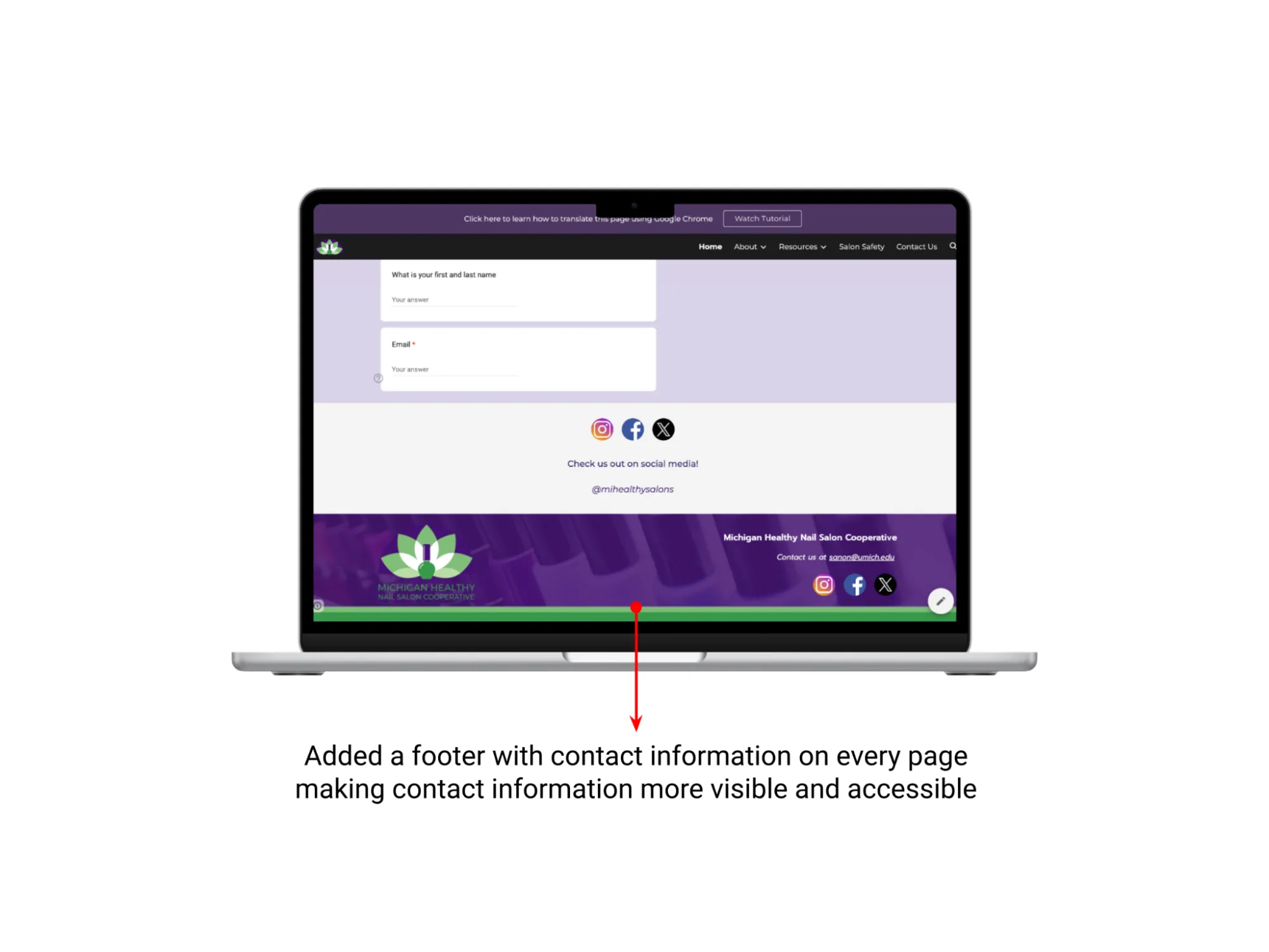
- 06Consistent headers, footers & buttonsBranded page headers, a footer with contact info on every page, and buttons that say where they lead (Article, Video, Webinar).
- Consistency
- Clear CTAs

Header & navigation

Salon Safety

Resources

Footer
Testing, iterating, testing again
We tested real Google Sites builds, refined them in place and tested again, comparing the original site and the redesign with the same tasks each time.
- 01Round 1 · BaselineOriginal site only · 4 participants · 5 tasks plus card sorts
- 02Round 2 · Work in progressOriginal vs. draft redesign · 2 participants
- 03Round 3 · EvaluationOriginal vs. final redesign · 3 participants, same tasks
What Round 2 changed
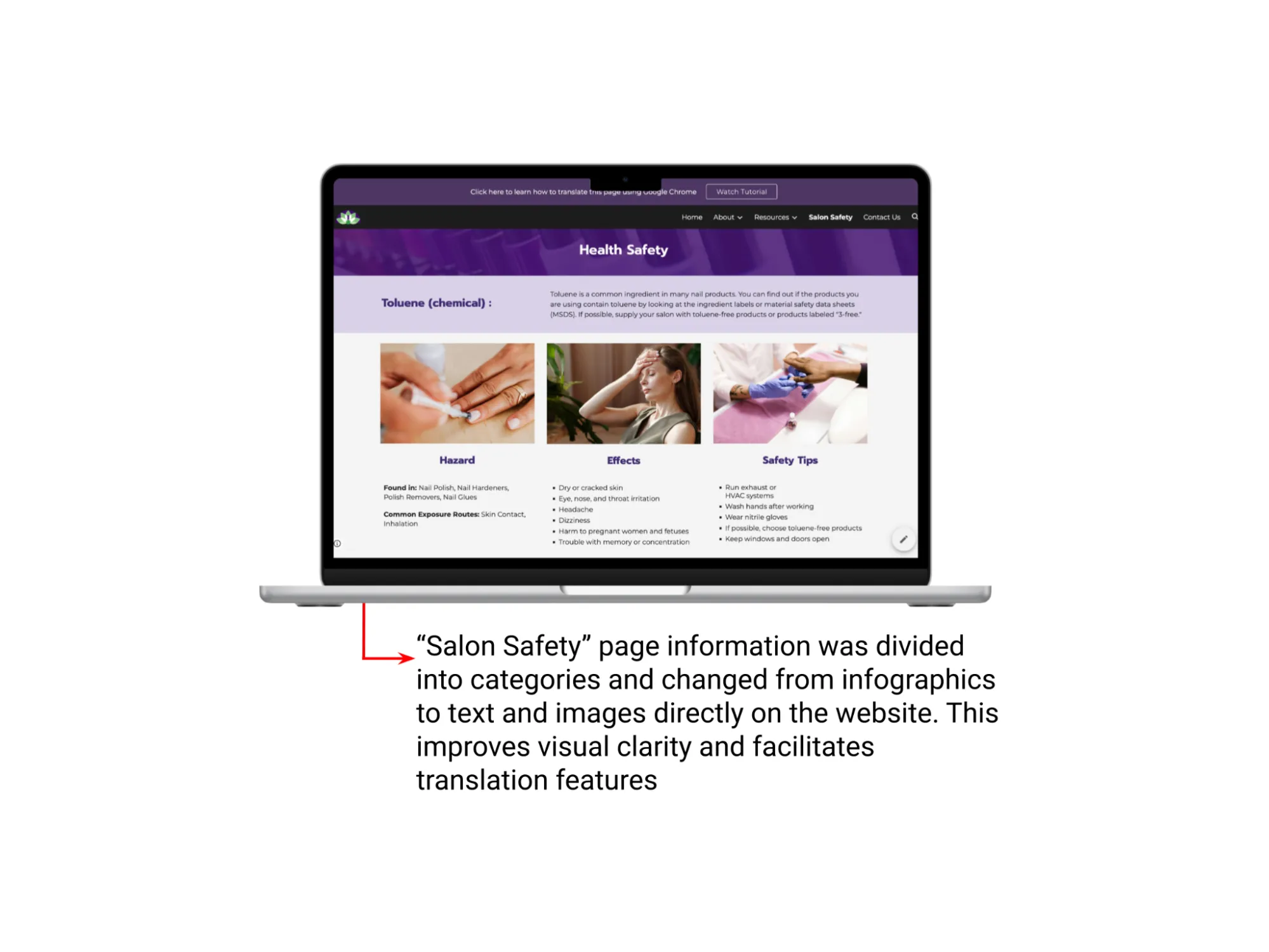
- Salon Safety was still too denseAdded specific headings, broke paragraphs into scannable sections, and added icons and diagrams.
- Director contact was still unclearAdded role-based contact information to the Our Team bios, as a participant suggested.
- Resources were clear but denseReduced redundancy and improved the layout and visibility of training resources.
- Outdated content hurt credibilityClearly separated current resources and projects from past work.
Definitely the redesign one… because of, like, the salon safety page… this was a really helpful one, that I can glance in less than 2 minutes and get what I need.
Round 3: did the redesign work?
- 3/3Preferred the redesign
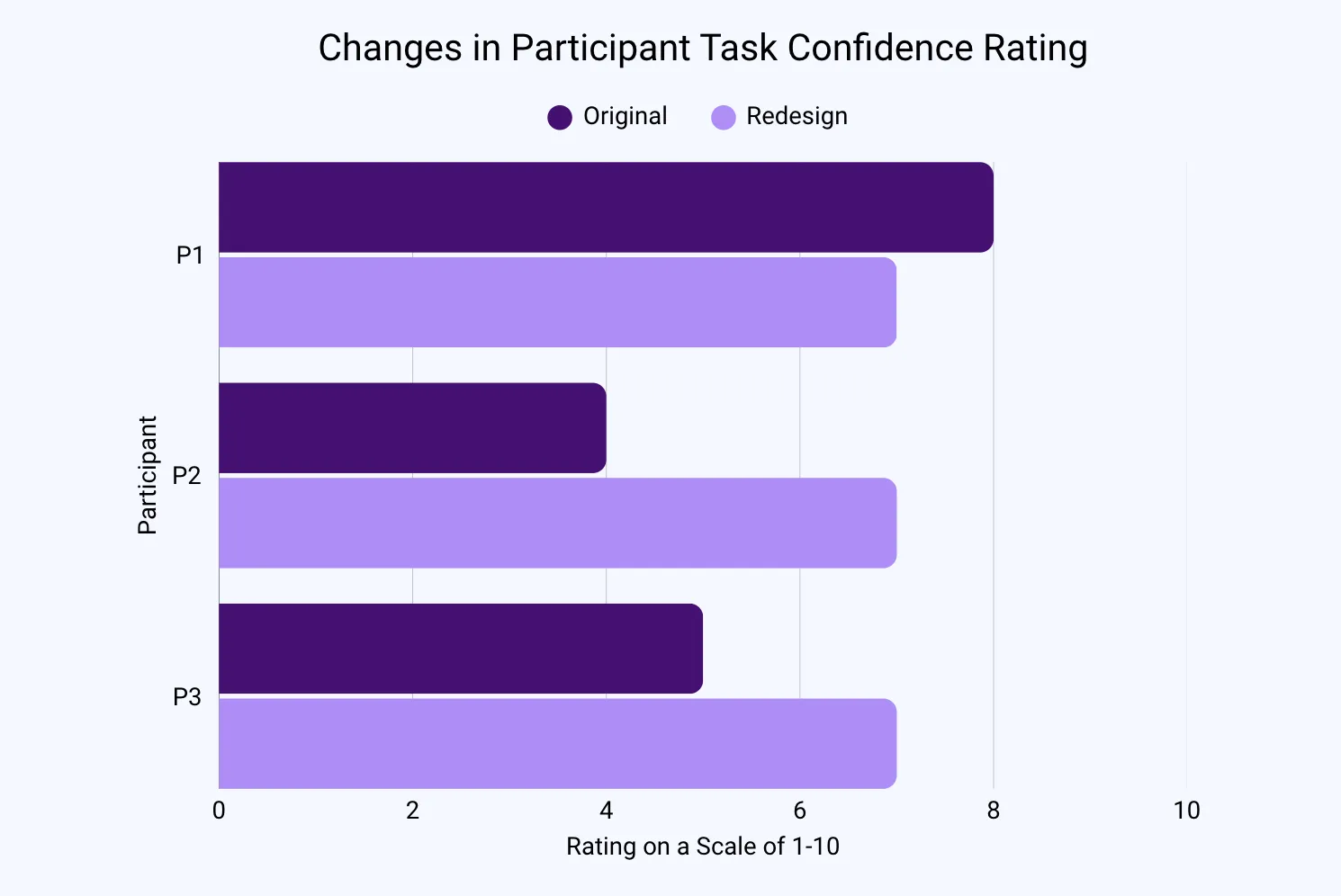
- 7.5Average task confidence out of 10 (up from 6.67)
- 3/3Found the safe-storage tip on the redesign

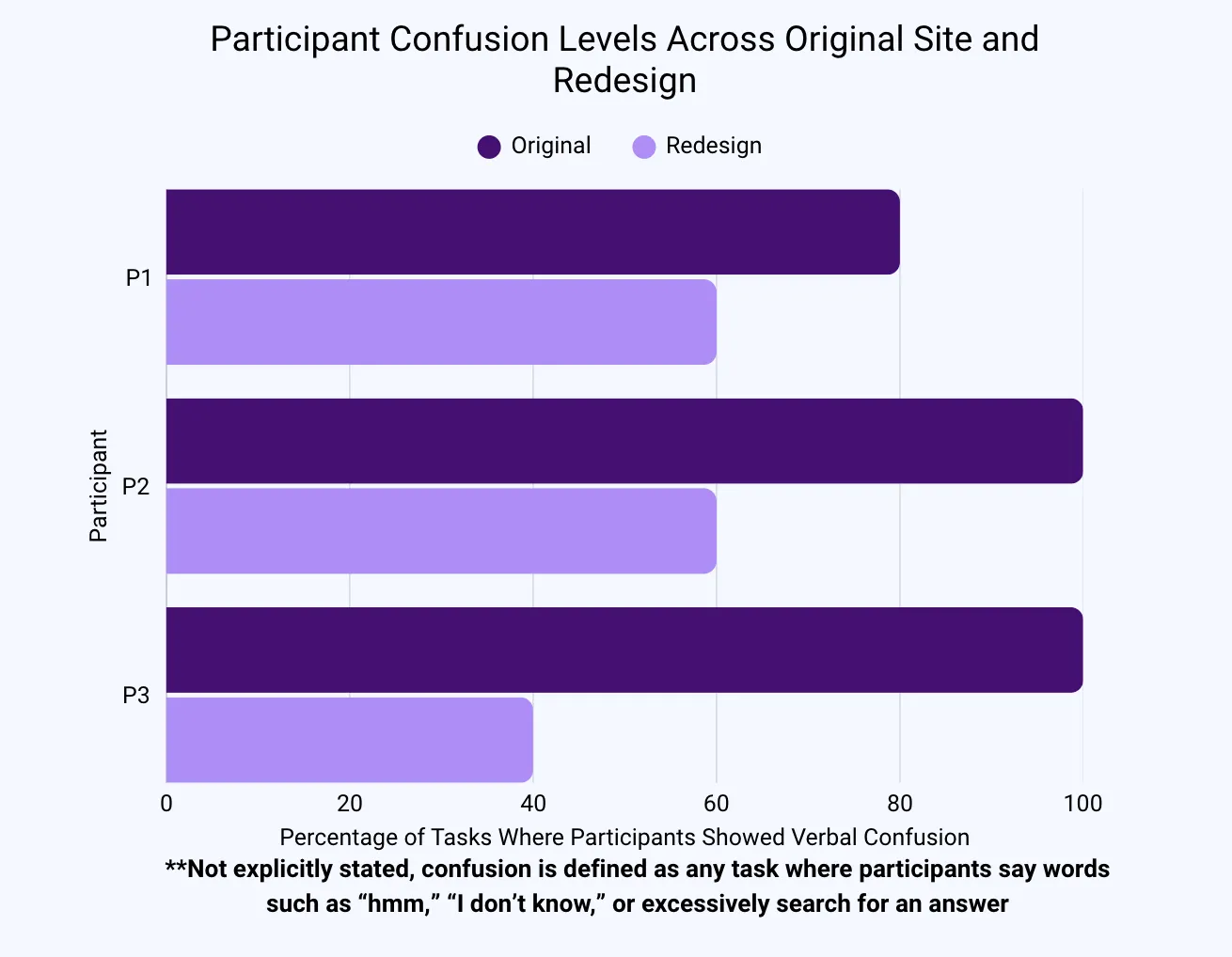
Confusion, original vs. redesign

Task confidence, original vs. redesign
Reading the numbers honestly
With three participants, the confidence gain wasn’t statistically significant (paired t-test, p > .05), and one participant’s confidence dipped. We treated it as a directional signal and leaned on what we observed: fewer wrong turns, clearer paths to contact information and a unanimous preference for the redesign.
What improved
- Contact information was far easier to find
- Clearer organization: tabs felt “more directive”
- More professional and credible look
- Easier to scan, with less on screen at once
Still to fix
- Podcasts were still hard to find
- One participant couldn’t find a Vietnamese resource
- The Projects page still felt wordy
- Next: subcategories and clearer resource types in the navigation
I could tell someone, like, took the time and dedication to make it look prettier, and that already just, like, makes me a lot more interested, and I guess it also makes MHNSC more, like, credible and reliable.
Before & after
Toggle between the original site and the redesign. Every page was rebuilt in Google Sites, so the client can keep editing it.
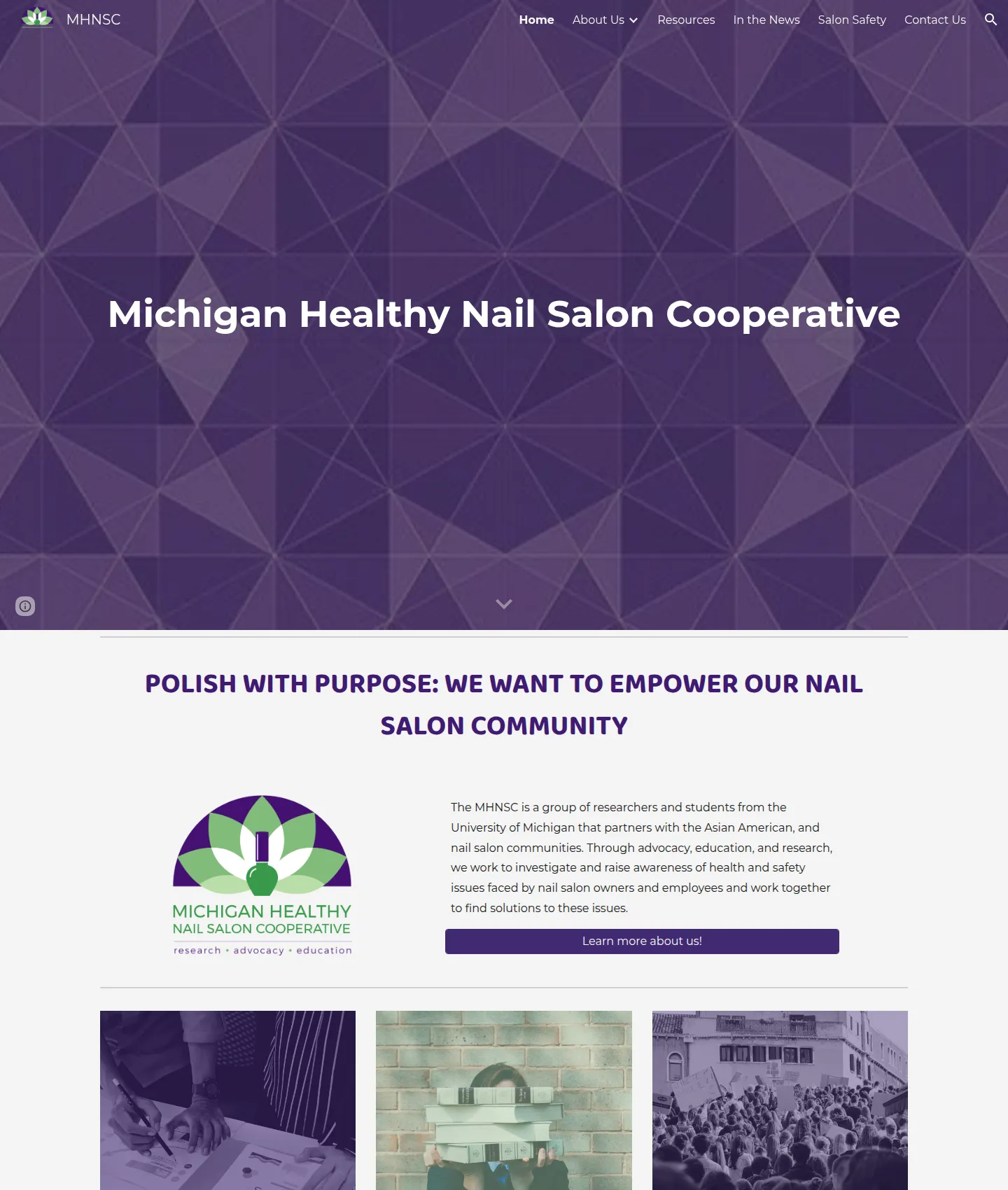
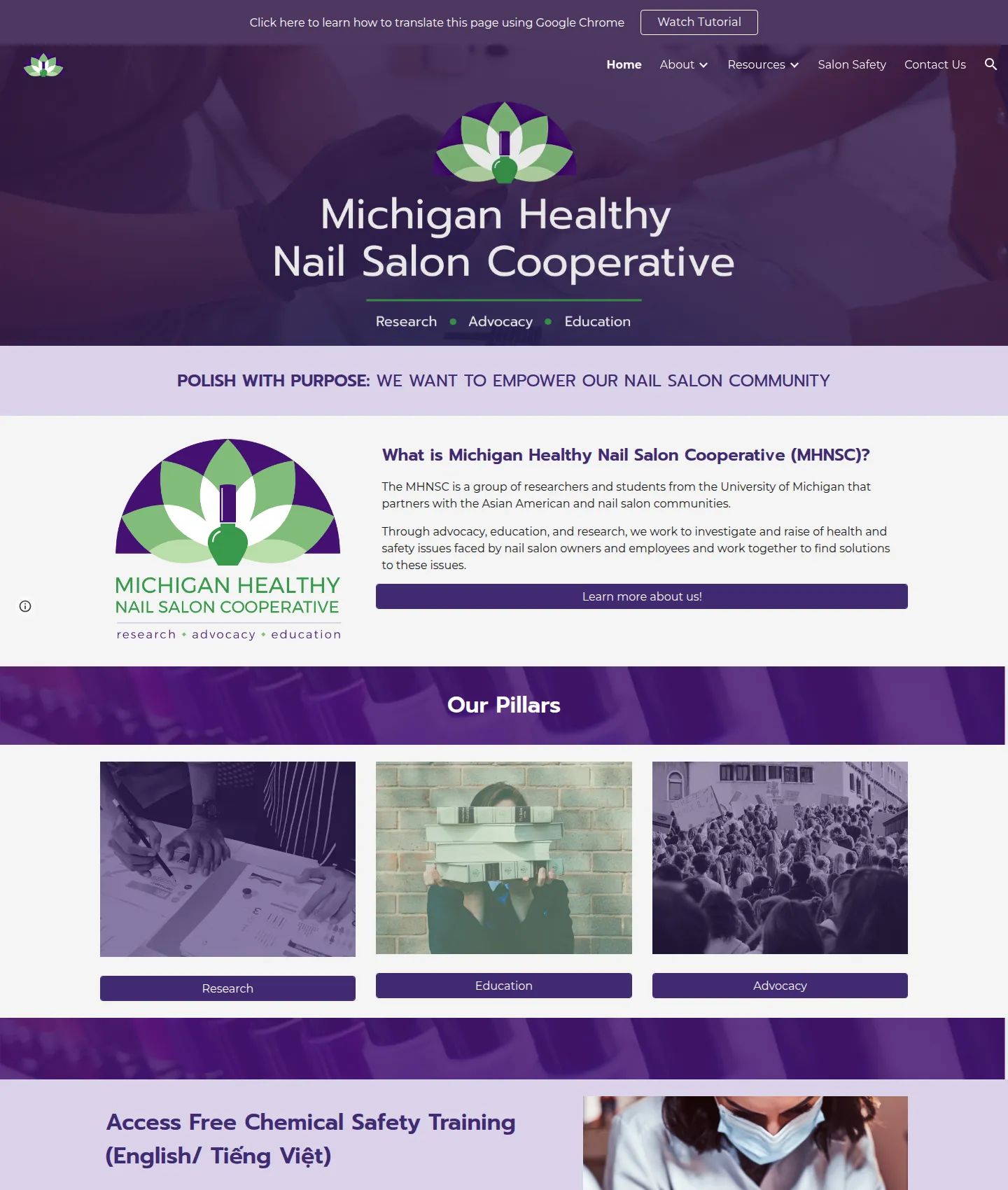
Homepage
The homepage now says what MHNSC is at a glance, puts the three pillars and the free chemical safety training front and center, and showcases MHNSC’s own publications.
Original

Redesign

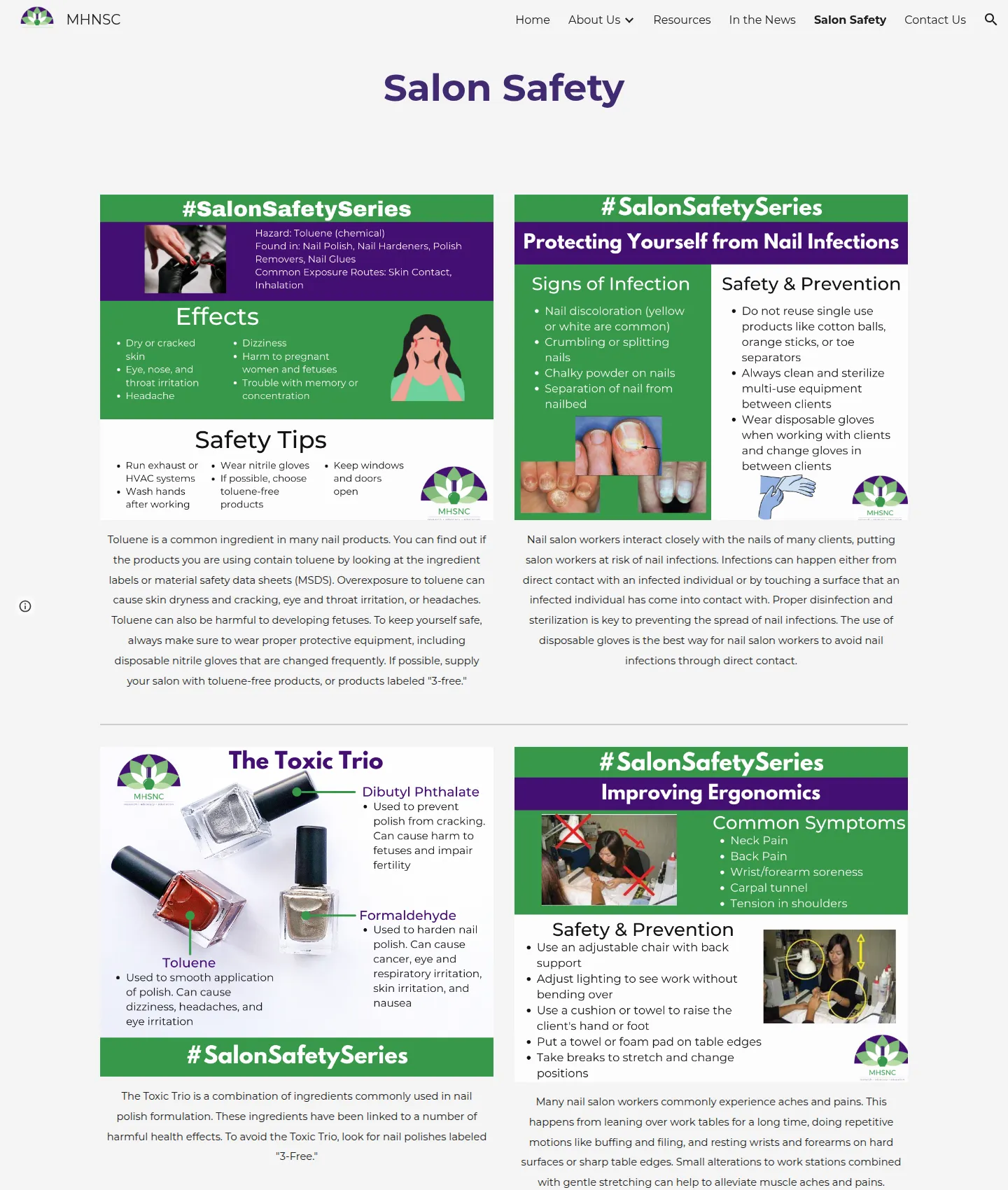
Salon Safety
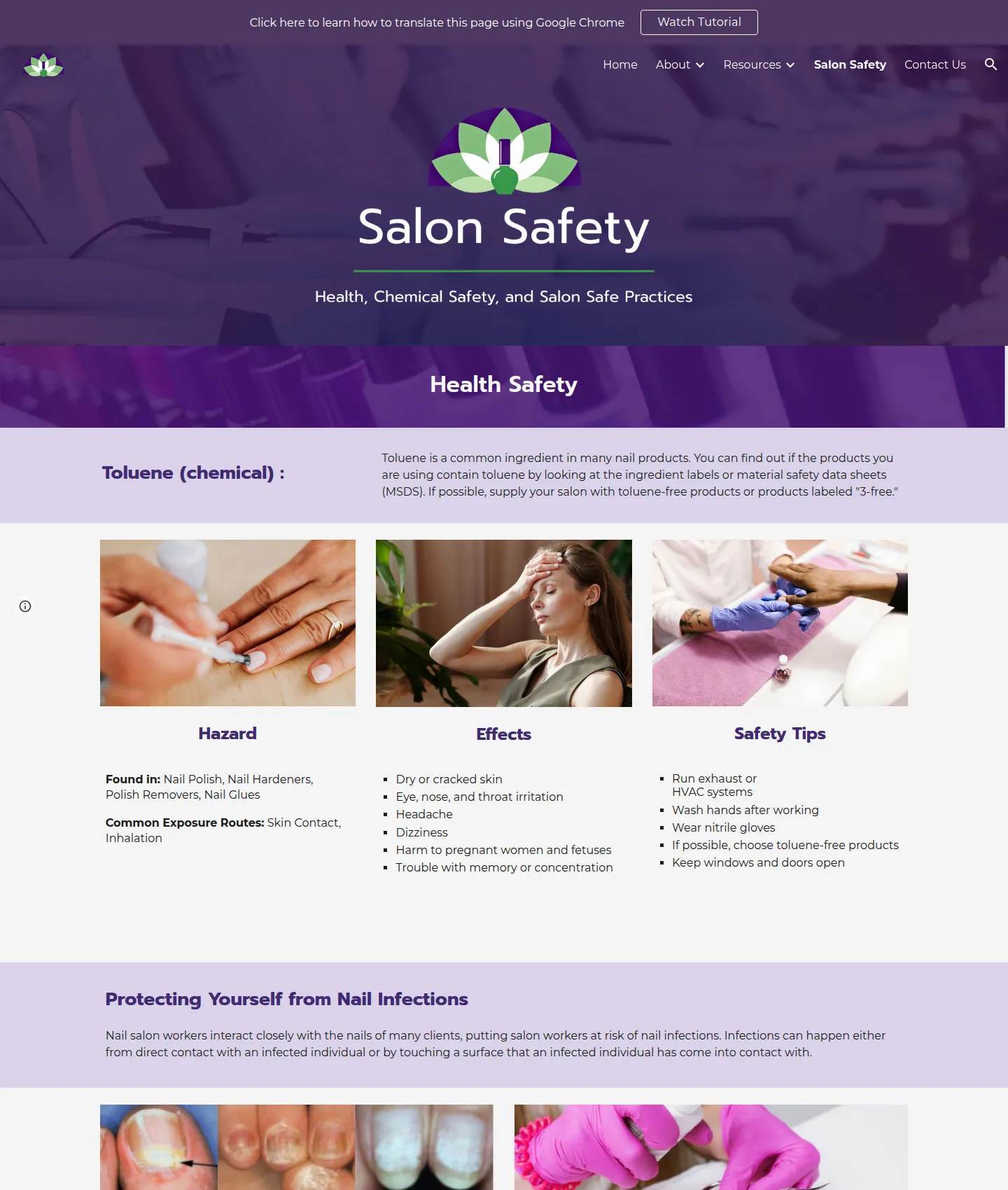
The biggest change. Infographics whose text was locked inside images became real text, organized into Health Safety, Chemical Safety and Safe Salon Practice, which screen readers and translation tools can read.
Original

Redesign

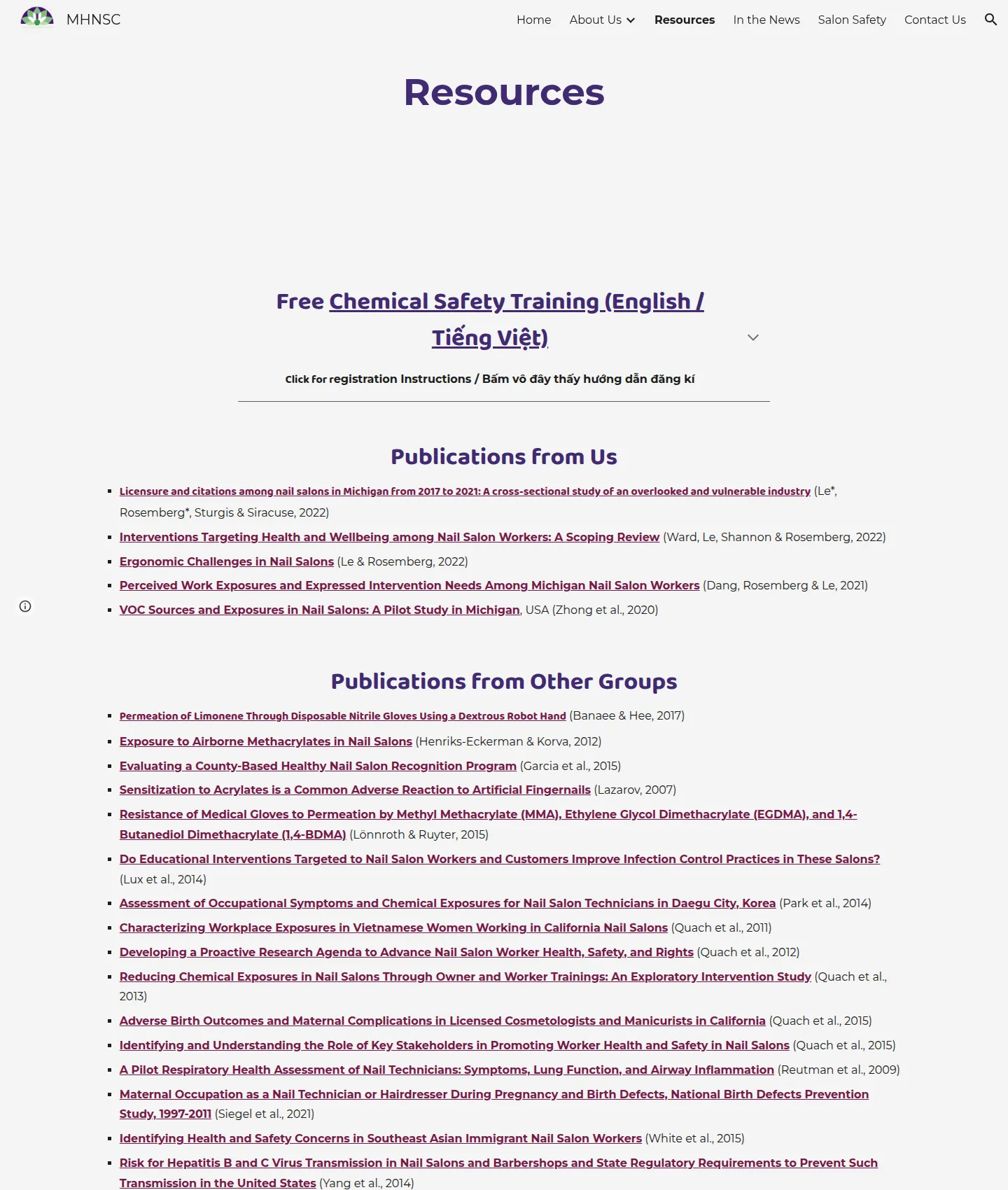
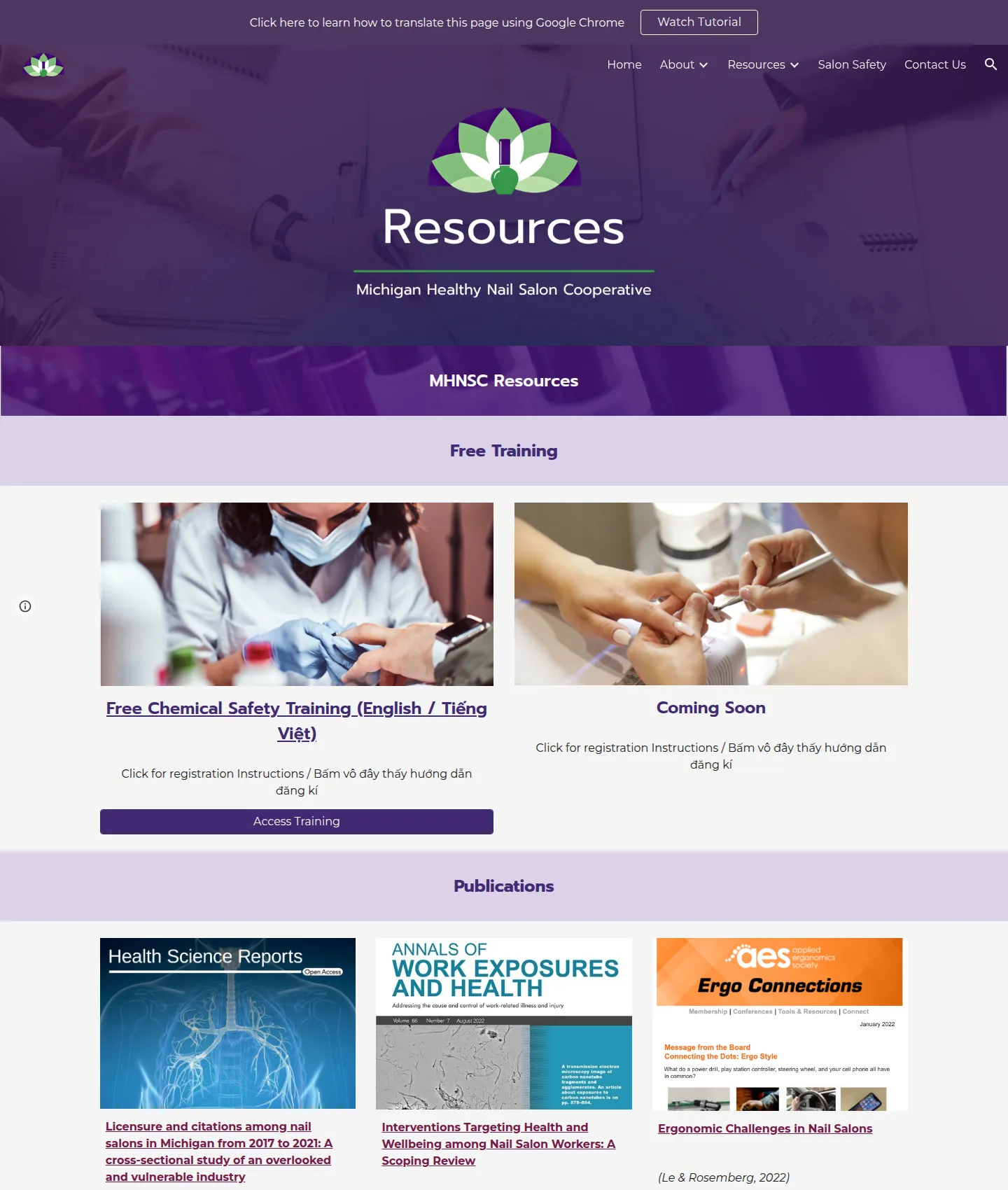
Resources
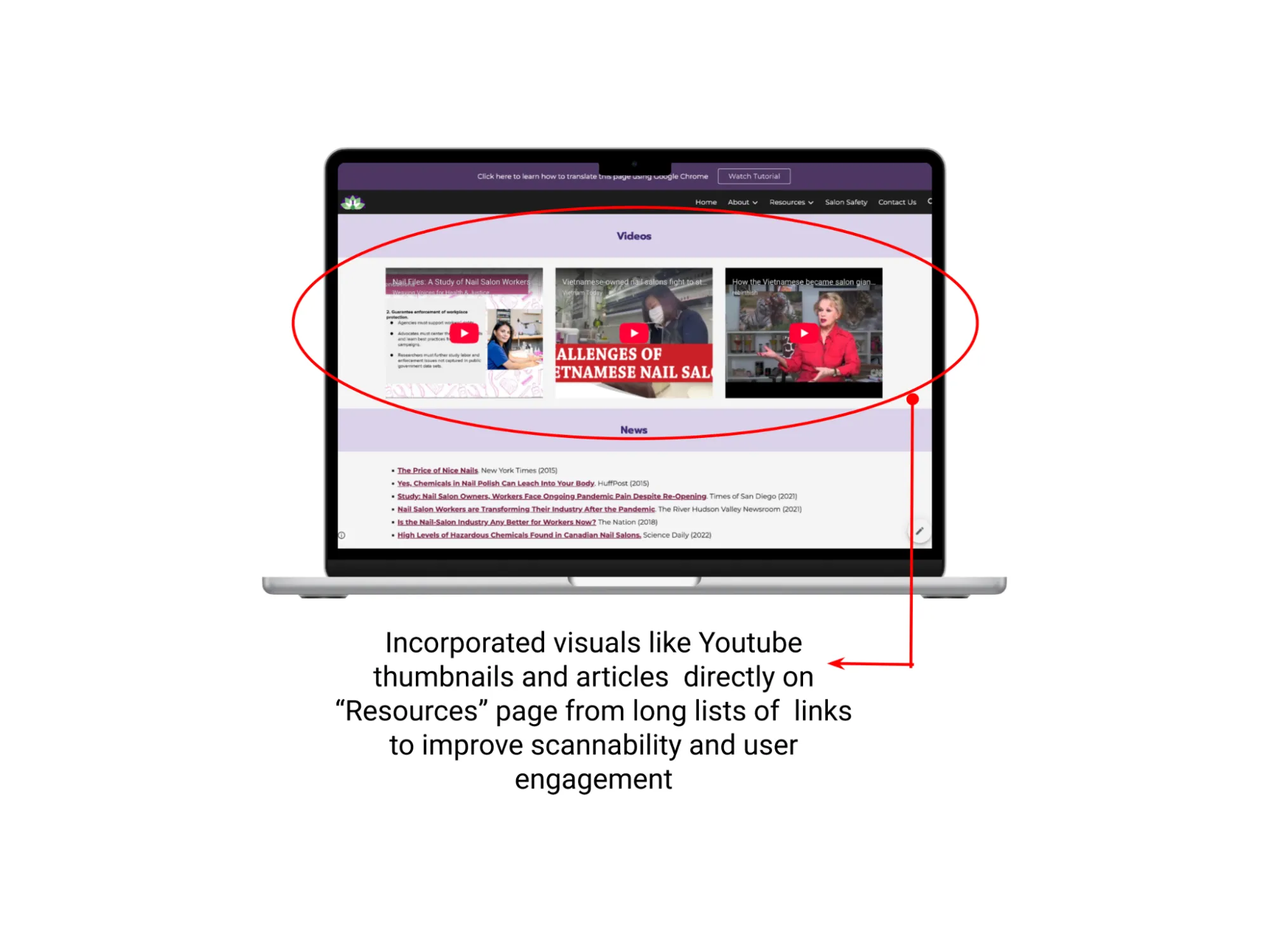
A wall of links became organized sections: free training, publication cards with thumbnails, and topics grouped into collapsible categories with labeled media types.
Original

Redesign

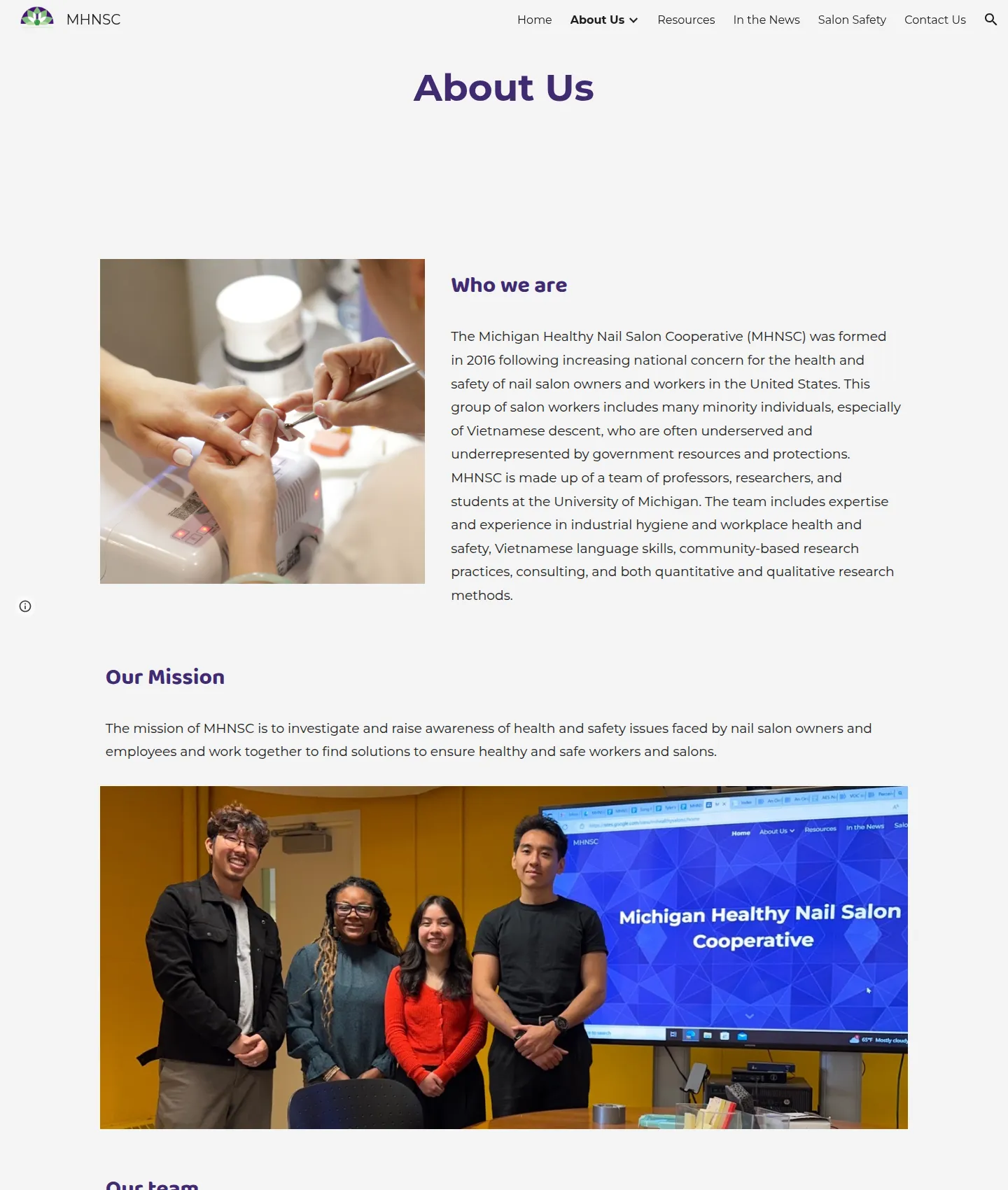
Our Team
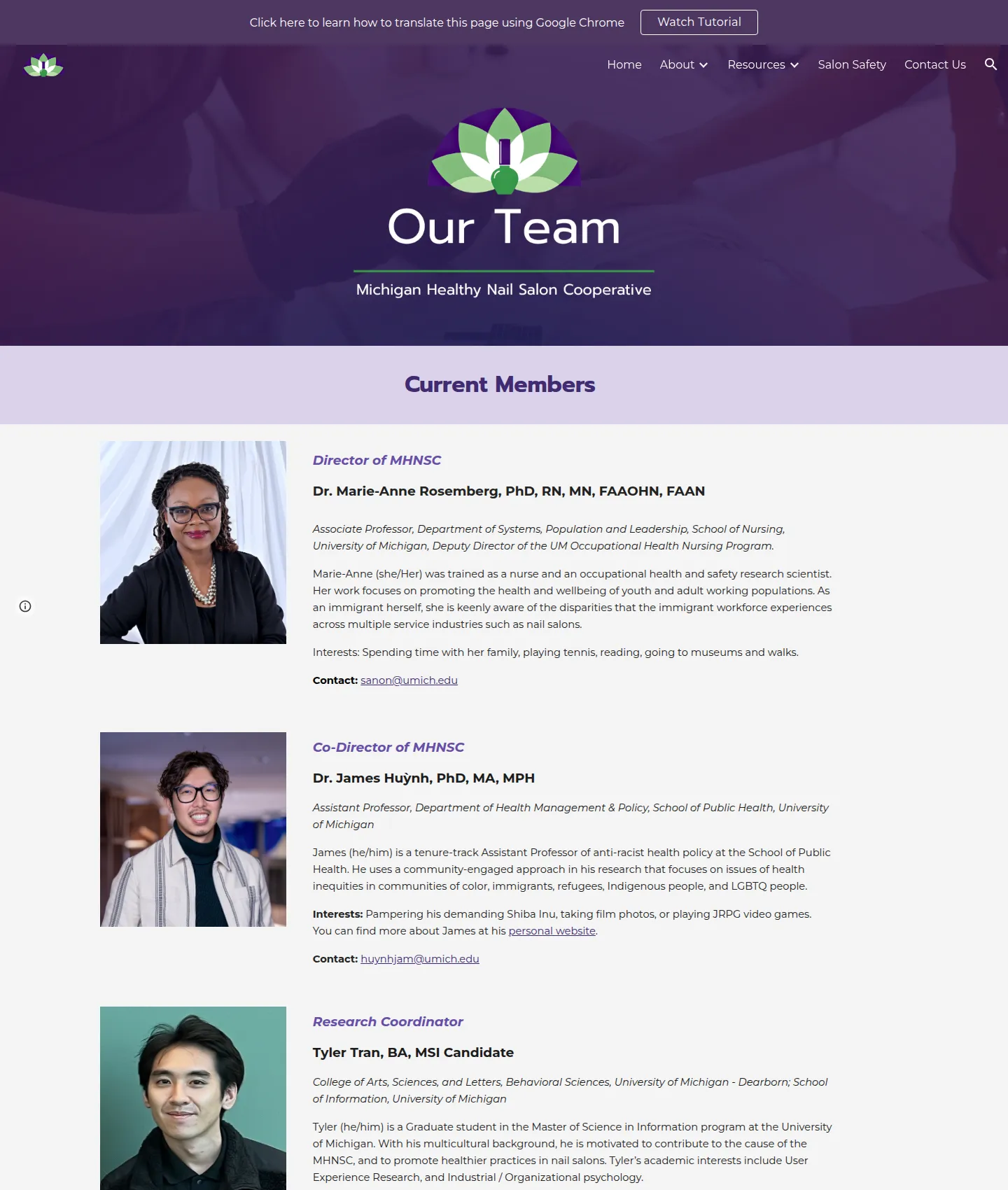
Each team member now has a role, affiliation, short bio, interests and contact information, which answers the question no one could answer in Round 1.
Original

Redesign

Translation within the platform
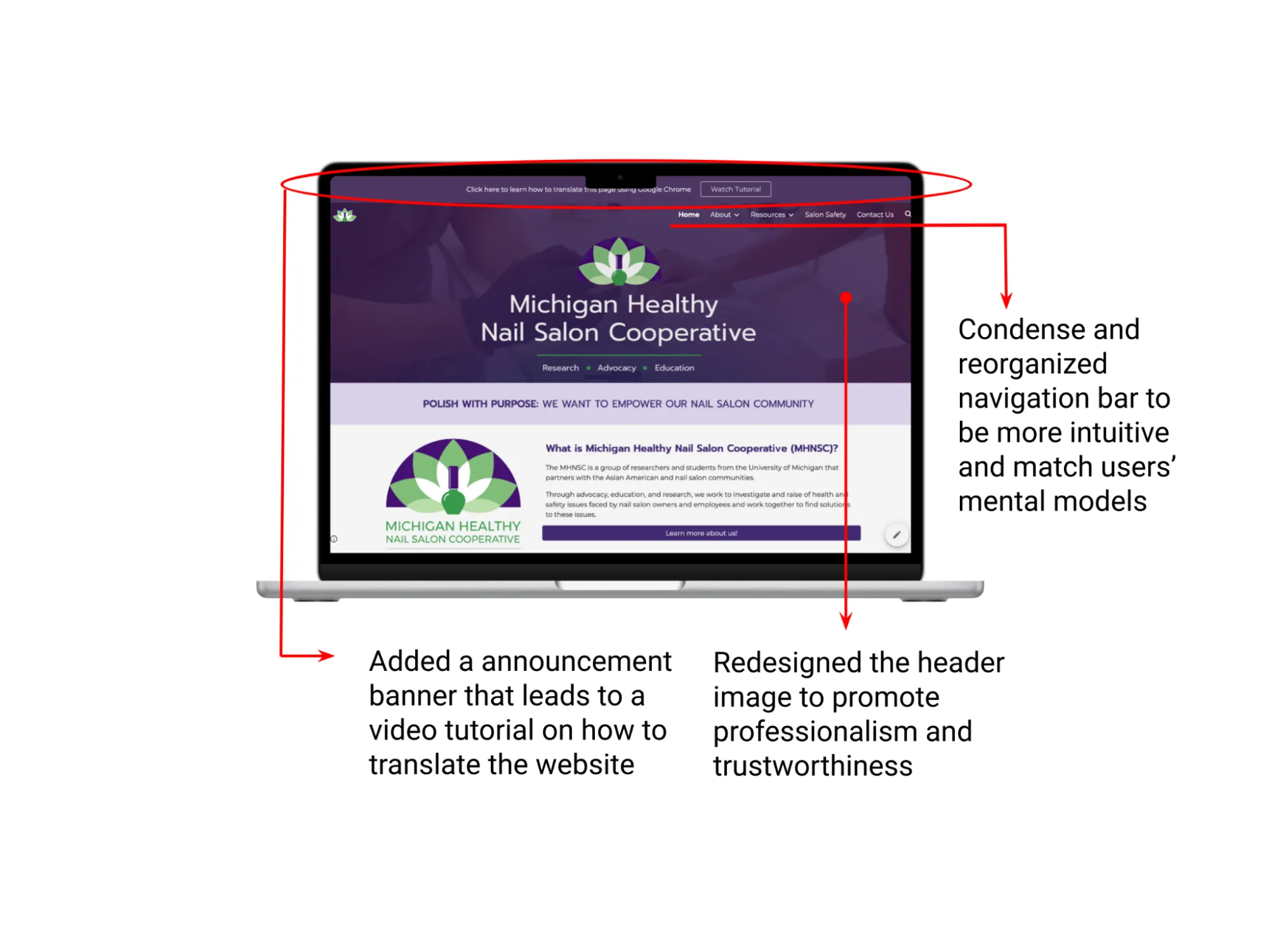
Google Sites can’t host a language toggle, so we added a site-wide banner linking to a short tutorial on translating any page with Google Chrome. Plain, real text (rather than text inside images) makes those translations work.

Handoff & impact
Because the prototype was the live product, our final meeting was a hands-on walkthrough of the real site, focused on making sure the client team felt confident maintaining it on their own.
- Design assets & layout guidelinesEverything we created, organized in a shared Drive so the site stays cohesive over time.
- Google Sites tutorial videosWalkthroughs tailored to the MHNSC site, like editing pages and duplicating sections.
- Domain switch guideStep-by-step instructions to move MHNSC’s web address to the redesign, so it can go public.
The client’s feedback was very positive, especially about the hands-on approach across both semesters and the assets and tutorials left behind. The team also recommended:
- Content maintenance Remove outdated resources, fix broken links and keep health and safety information accurate.
- Analytics Use Google Analytics to see which pages are visited most and how long people stay.
- Community voices Add testimonials and stories from salon workers to strengthen credibility.

What worked. What I learned.
What worked
- Anchoring every decision in research, from principles to wireframe critiques
- Testing the real build instead of mockups, round after round
- Designing for handoff, so the client can own the site after we leave
What I learned
- Constraints shape good solutions: a translation banner instead of a language toggle we couldn’t build
- Plain language is accessibility: clearer English helps everyone, especially multilingual users
- Small samples need honest reporting: fractions and directional signals, not big claims
Rights
© Michigan Healthy Nail Salon Cooperative (MHNSC). All rights reserved. Shown for portfolio purposes only.