Overview
- Role
- UX/UI Designer & Researcher
- Timeline
- Fall 2025 (6 weeks)
- Team
- Individual project
- Tools
- Figma · UserTesting · Miro
- Methods
- Heuristic Evaluation · On-Site Observations · User Interviews · Usability Testing
TL;DR
In a 6-week solo project for SI 407, I redesigned the website of Cardamom, a local Indian restaurant in Ann Arbor, to replace phone-only ordering with a complete online ordering flow. Research with diners and the owner shaped a clearer menu structure and a cart and checkout built from scratch, and usability testing with 3 users led to two rounds of fixes, with testers calling it “so much easier than calling in.”
- 6 wkTimeline
- 4Research methods
- 3Usability test participants
- 2Design iterations
Cardamom is a beloved local restaurant in Ann Arbor, located about 10 minutes from Central Campus. Despite their exceptional food and community atmosphere, their website’s confusing navigation and inefficient ordering process was creating barriers. Additionally, the cafe was struggling to attract students due to the distance from campus.
This 6-week individual project focused on redesigning the complete e-commerce experience to replace their phone-based ordering system with a modern, digital solution that maintains their warm, authentic brand identity.
The problem
The Problem
- No online ordering: customers must call to place orders
- Static website with limited menu browsing functionality
- Users found calling inconvenient and time-consuming
The Goal
- Design a modern e-commerce flow for seamless online ordering
- Allow users to browse menu, add items to cart, and checkout digitally
- Maintain Cardamom’s warm, authentic brand identity
Research & discovery
Methods used
- Heuristic EvaluationEvaluated existing Cardamom website
- On-Site ObservationsObserved customer behavior at restaurant
- User InterviewsIntercept interviews with diners
- Competitive AnalysisAnalyzed restaurant ordering systems
Key research findings
- 01No Online Ordering = Major Pain PointCustomers found calling inconvenient and wanted an easier online option
- 02Users Want Clear OrganizationAppreciated categorization and visuals but disliked excessive scrolling and poor text contrast
- 03Balancing Brand & ModernityOwner wanted to improve digital experience while maintaining authentic, welcoming identity
What users said
I love the food, but I never remember to call ahead. I wish I could just order online like everywhere else.
The website looks outdated. I didn’t even know they had one—I just use the phone number from Google.
User persona
The persona kept the design grounded in real user behavior rather than assumptions, prioritizing users who want a quick, convenient, and straightforward way to order takeout.

User persona
Priya Sharma, Grad Student @ UM
Priya is a 25 year old busy graduate student at the University of Michigan who juggles long days of classes, research, and group projects. She lives off-campus with one roommate and frequently turns to local restaurants for convenient meals. Priya loves Indian food and visits Cardamom often, sometimes even dining in with her friends, but more or so orders takeout when she doesn’t have much time.
- Age
- 25
- Role
- Graduate student, University of Michigan
- Lives
- Off-campus, 1 roommate
Technical profile
- Internet Usage
- 5 out of 5
- Online Shopping
- 4 out of 5
- Tech Savvy
- 4 out of 5
Behaviors
- Often calls restaurant for carry out since there’s no online ordering
- When dining in, she’s willing to wait a little, but dislikes the crowding at the entrance
- Sometimes has to call over staff for orders, bills, or extra food boxes
- Uses her laptop and phone daily for anything tech related
Needs & Goals
- Quick and convenient way to order food online for pick up
- Wants some sort of seating while waiting for a table during busy periods
- Values good food quality and friendly interactions with staff
- Wants a smooth and easy checkout process (dine in and take out)
Frustrations / Pain Points
- No designated waiting area, making things uncomfortable when it is crowded
- Having to sometimes call staff over to order or get the bill
- Carry out process feels backdated and time consuming
- Some dishes flavors don’t really match her expectations, which throws her off sometimes
I love the food here, but I wish there was a way to order online and pick it up. It would make my life so much easier!
Ideation & design process
Initial sketches
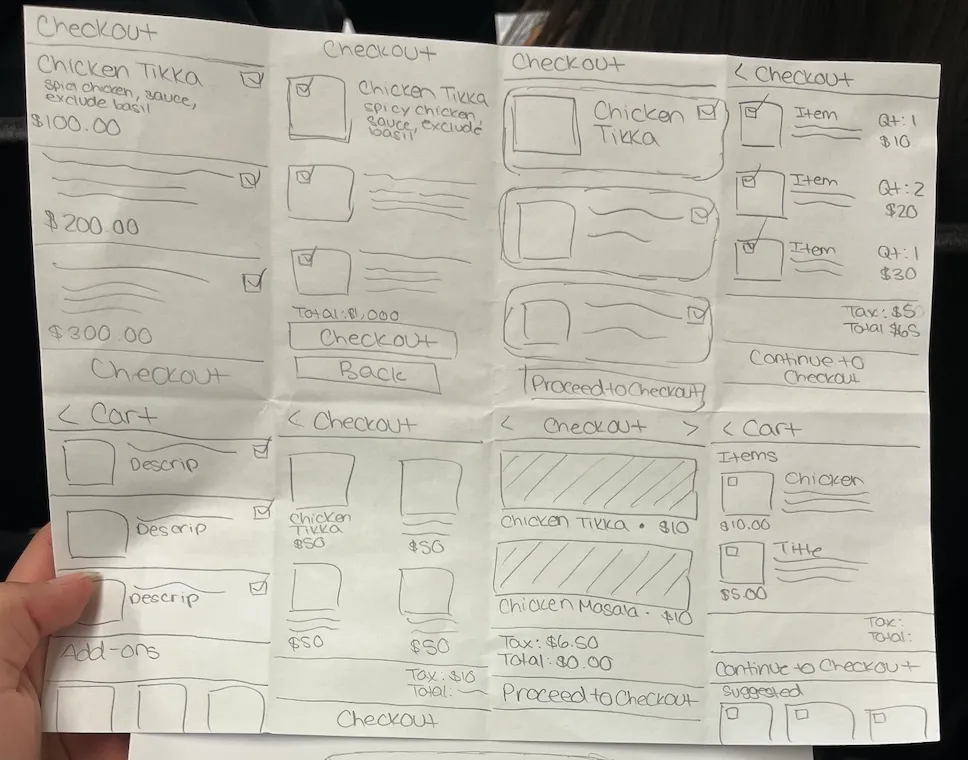
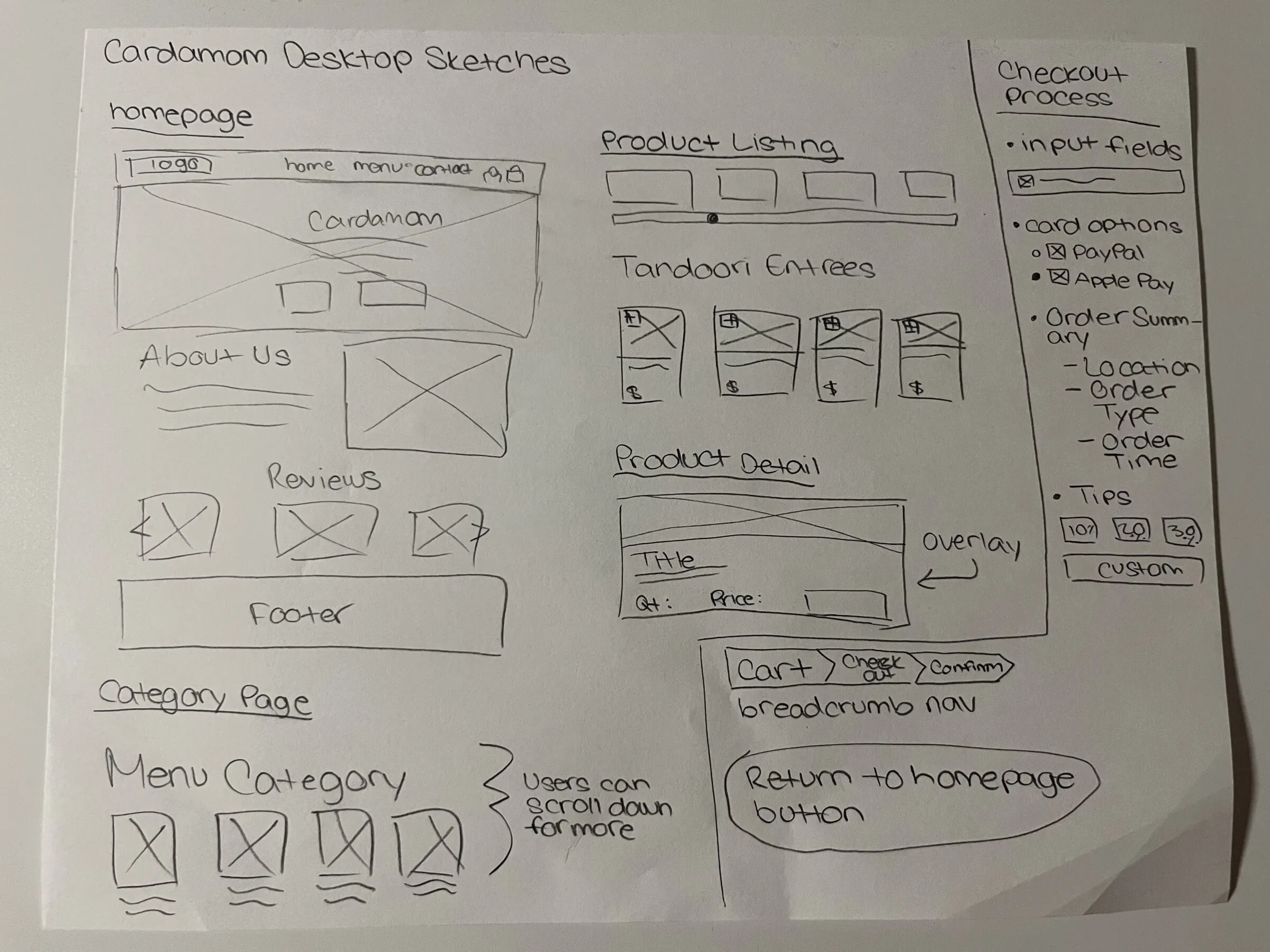
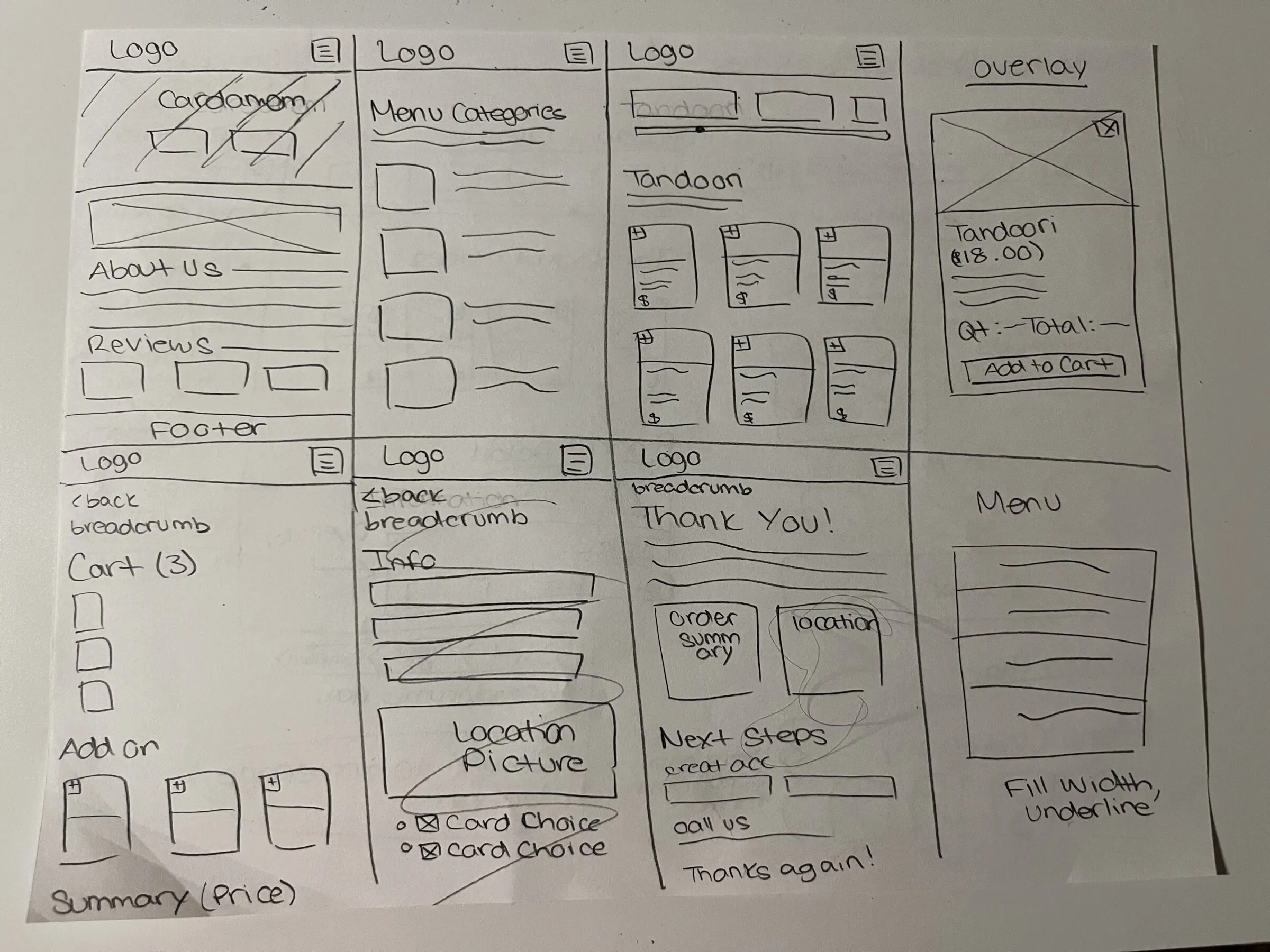
I began by sketching out ideas for both the desktop and mobile versions of the menu structure, cart page, and checkout flow. In addition to these initial sketches, I completed a separate Crazy 8’s exercise focused on my innovative page, which helped me rapidly explore different layout and interaction ideas before choosing the most effective direction for my design.


Desktop sketches

Mobile sketches
User flow
I mapped out the complete ordering journey from homepage to checkout completion.
- 01HomepageUser lands & clicks 'Order Now'
- 02Menu CategoriesBrowse food categories
- 03Product ListingView items in category
- 04Product DetailSelect item & add to cart
- 05Cart ReviewReview order & proceed
- 06CheckoutEnter details & complete order
Key design decisions
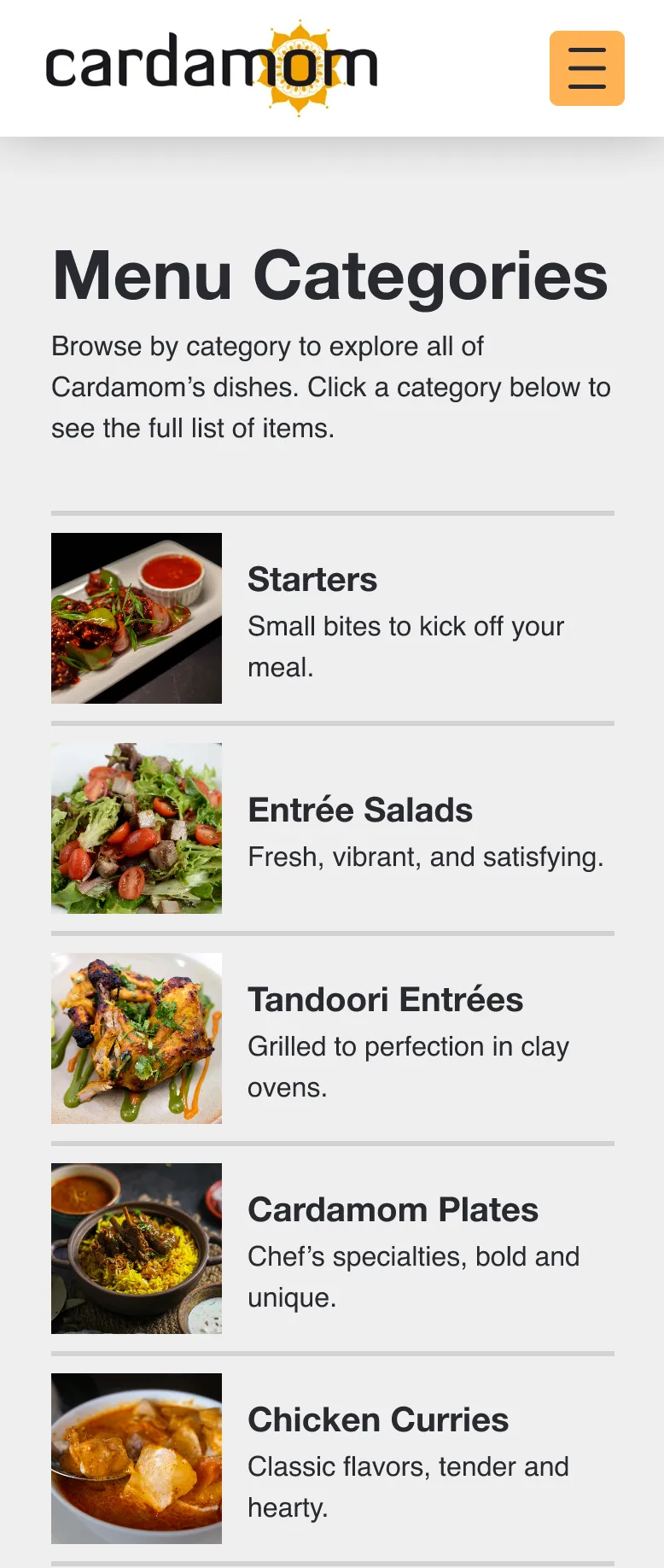
- 01Added "Menu Categories" PageCreated a dedicated page to organize food types (Appetizers, Entrees, Desserts, etc.) to reduce confusion and improve discoverability.
- Information Architecture
- Clear Hierarchy
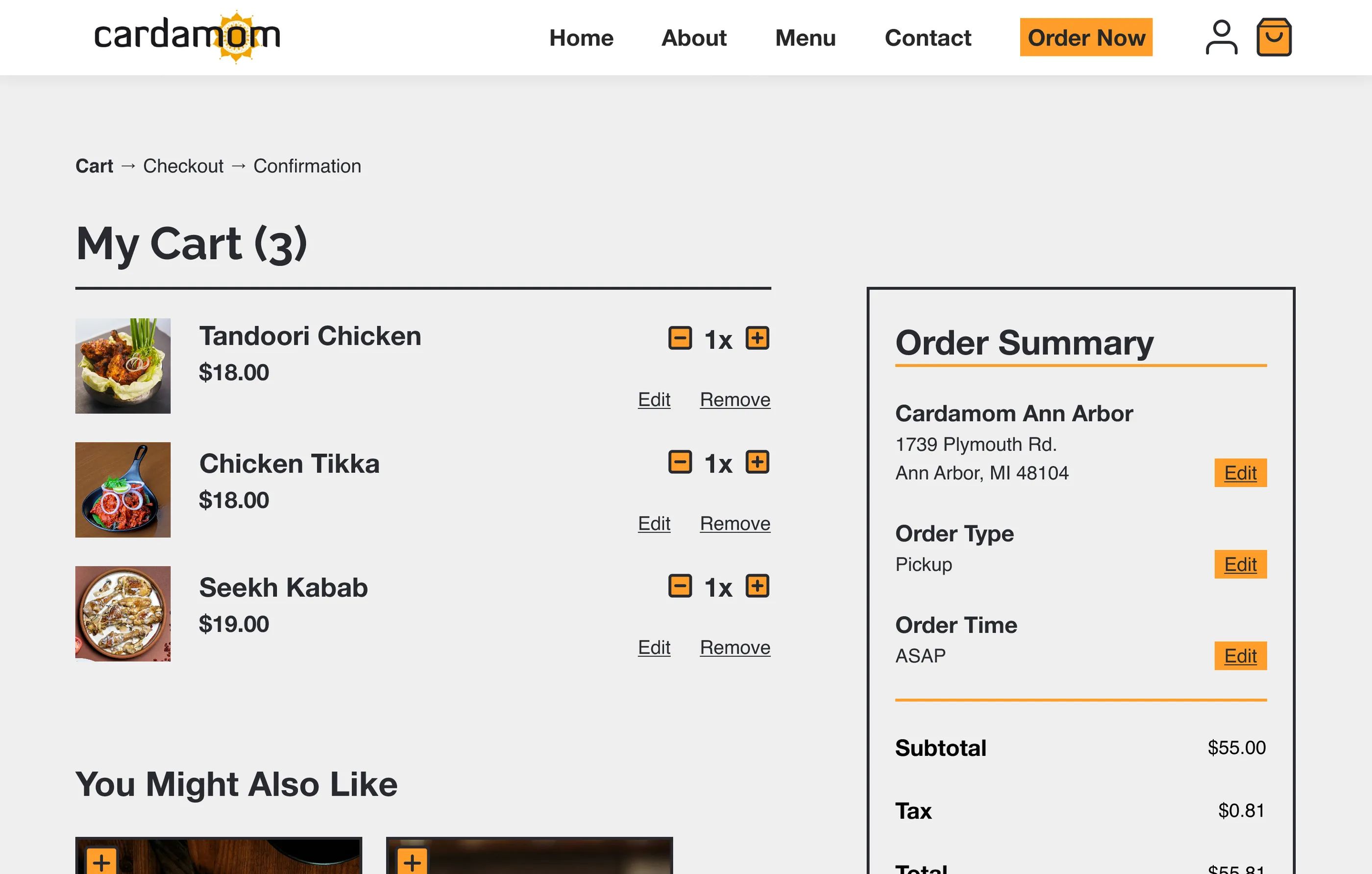
- 02Designed Full Cart & Checkout ExperienceBuilt an innovative cart page from scratch to replace phone-based ordering, with clear item review, quantity adjustment, and checkout flow.
- Task Flow
- Feedback
- Error Prevention
- 03Maintained Brand IdentityIncorporated Cardamom's logo, warm color palette, and cultural typography while improving readability, contrast, and visual hierarchy.
- Consistency
- Accessibility (WCAG Color Contrast)
Usability testing & iteration
Testing methodology
- MethodModerated usability testing via UserTesting.com
- Participants3 users representative of target audience
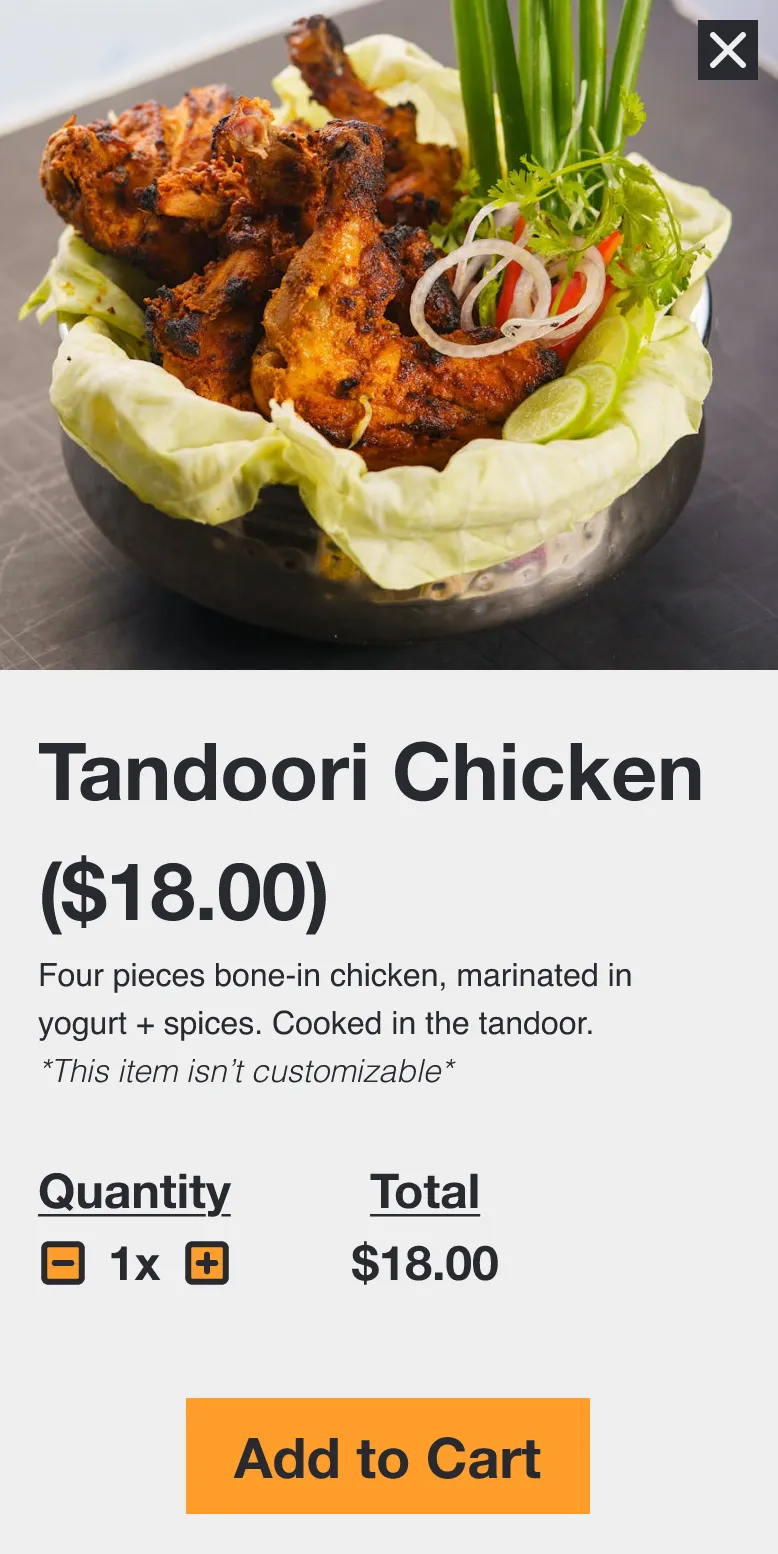
- TasksBrowse menu, add Tandoori Chicken to cart, complete checkout
What I learned
Strength
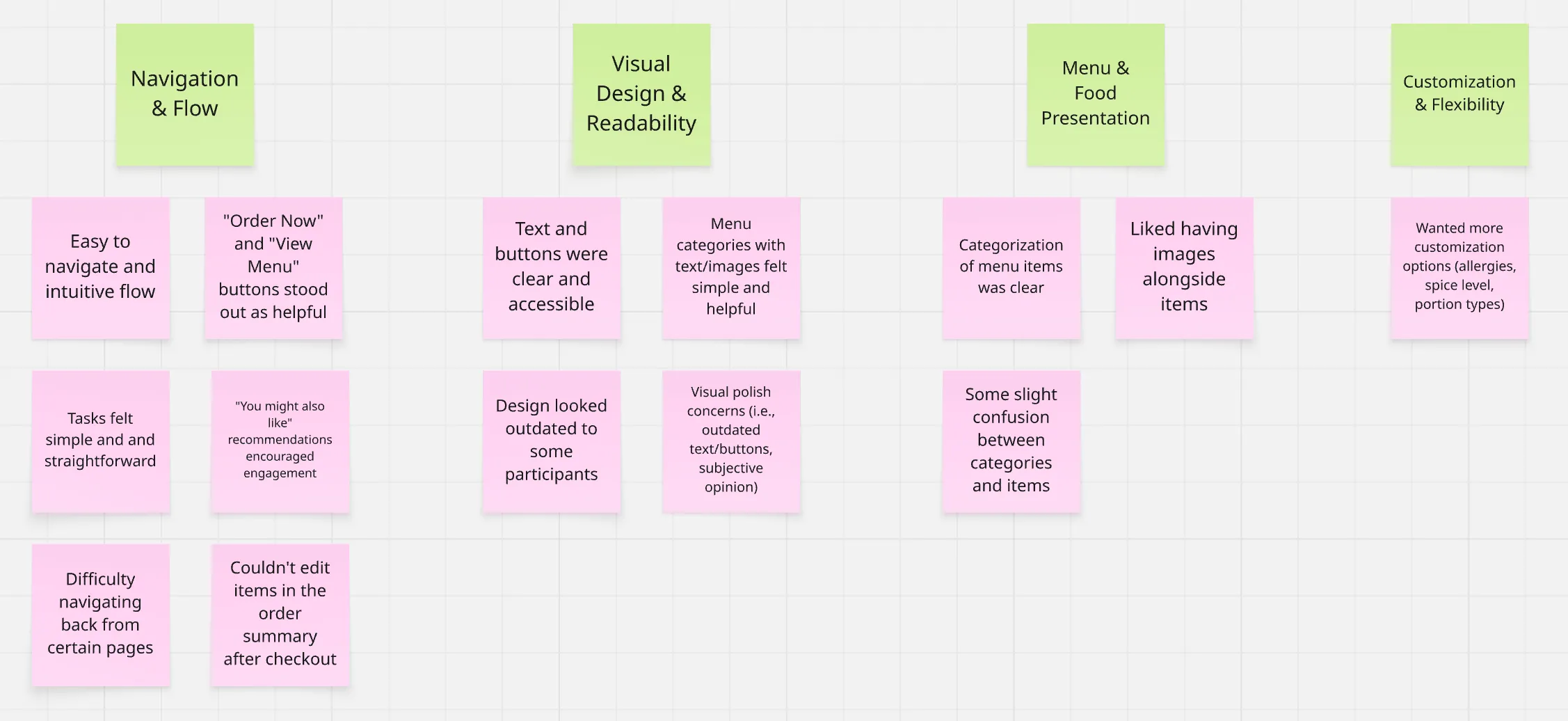
- Users found the prototype easy to navigate and intuitive overall
Issues
- Users wanted better differentiation between menu categories and individual items
- Participants wanted an easier way to navigate back and forth during checkout
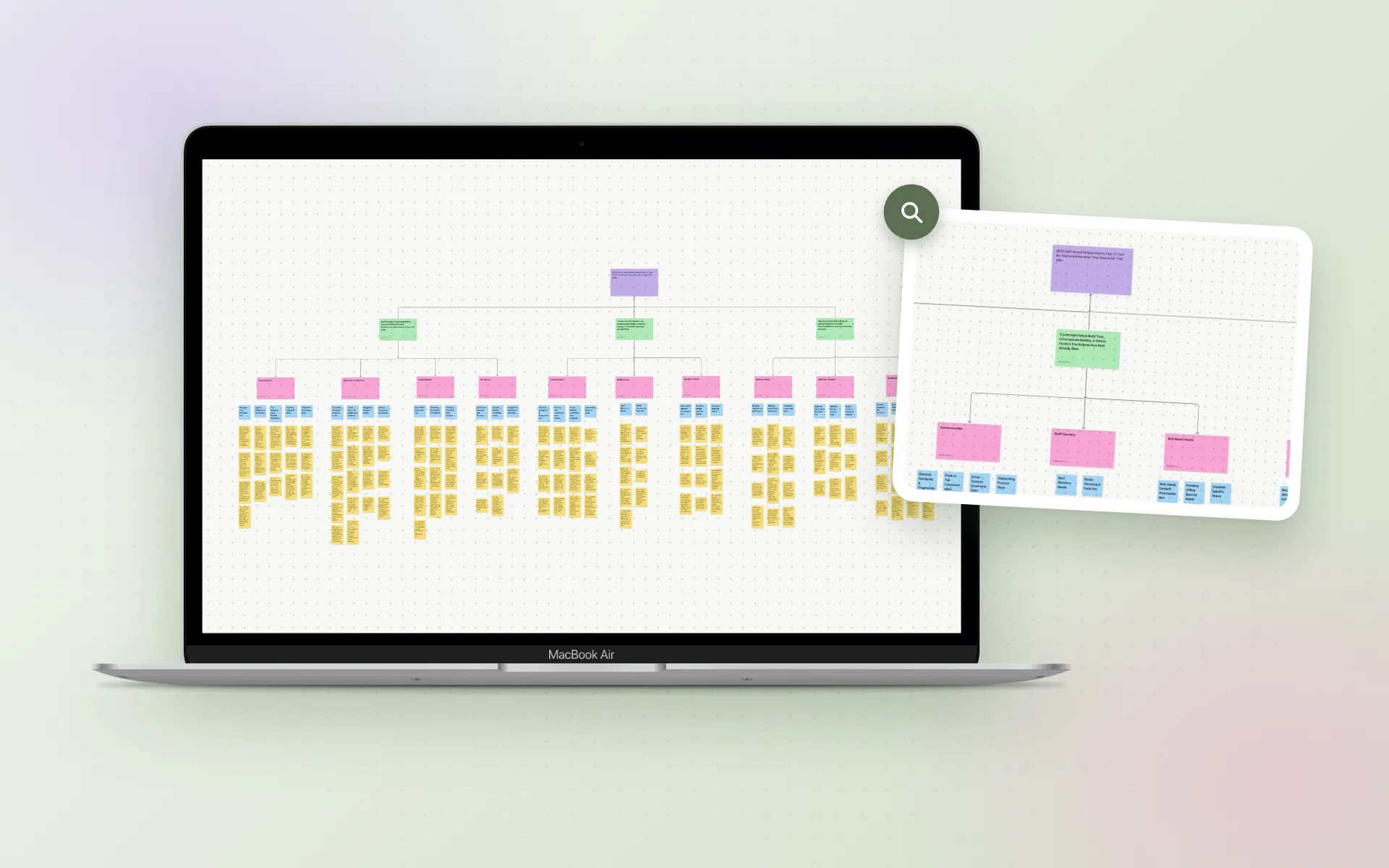
I organized feedback from the usability tests in an affinity diagram: I reviewed each participant’s session, grouped similar notes on what worked well and what caused confusion, and translated the patterns into actionable insights for the next prototype iteration.

Design iterations based on feedback
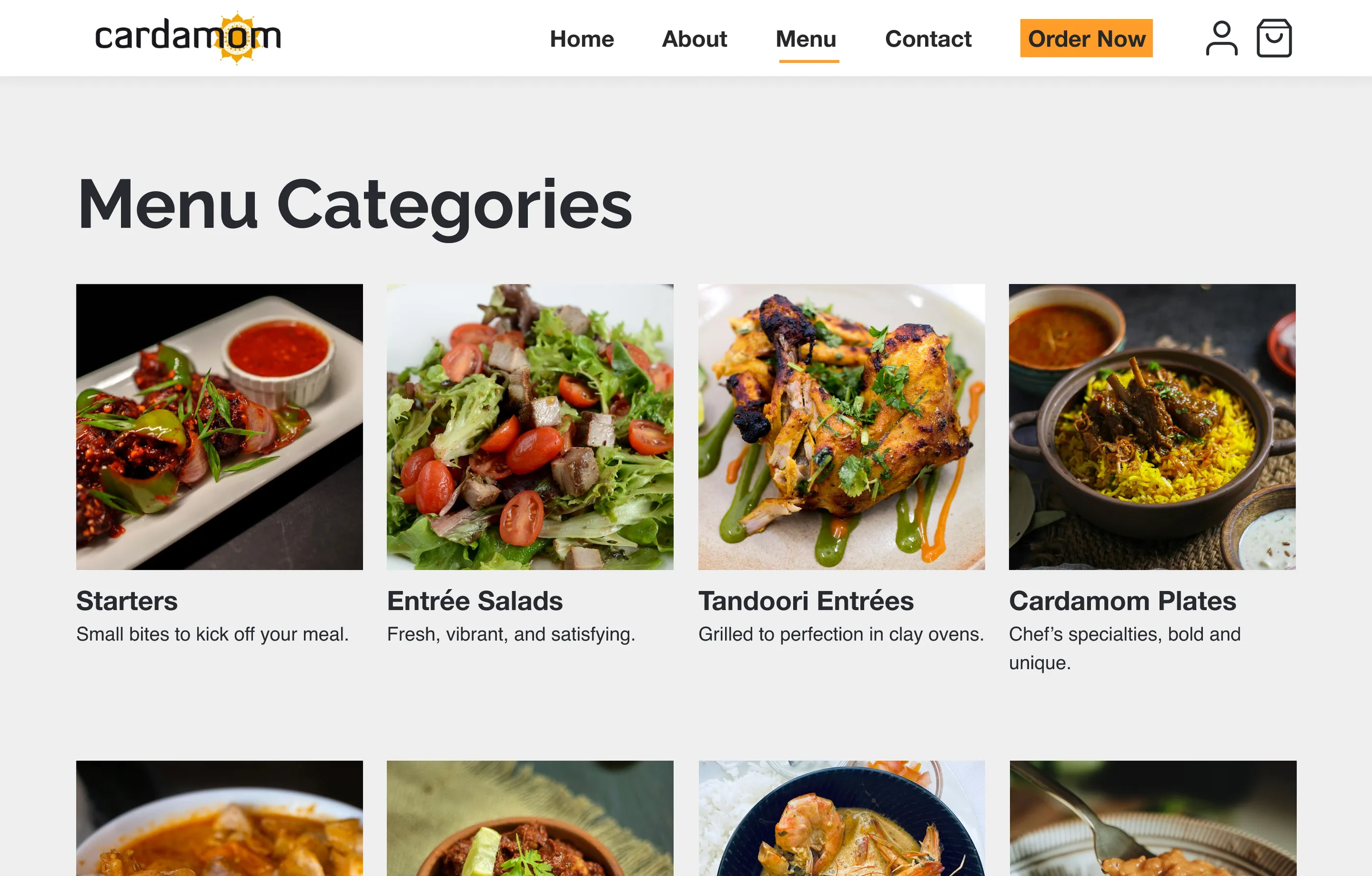
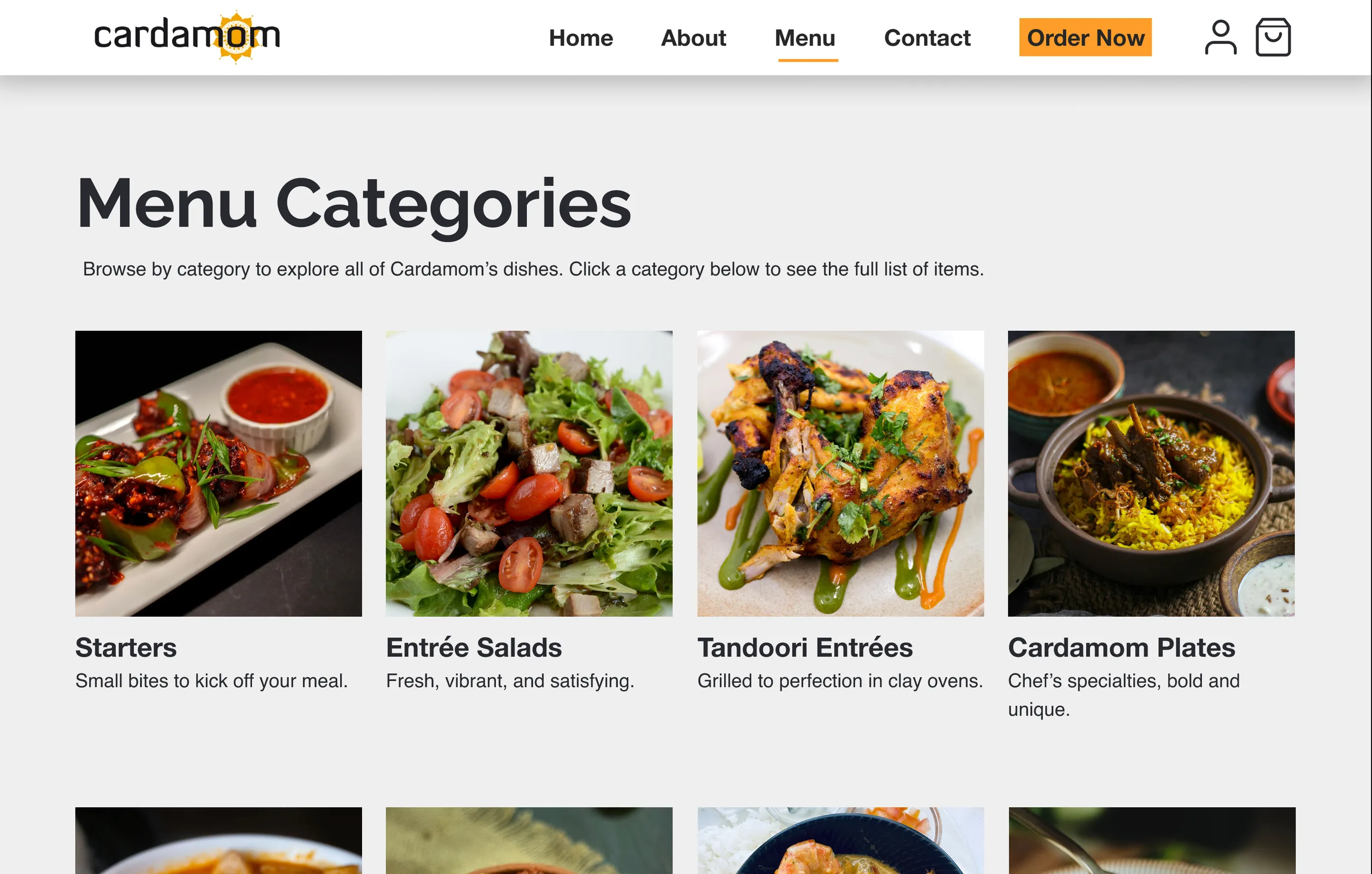
Iteration 1: Added category descriptions
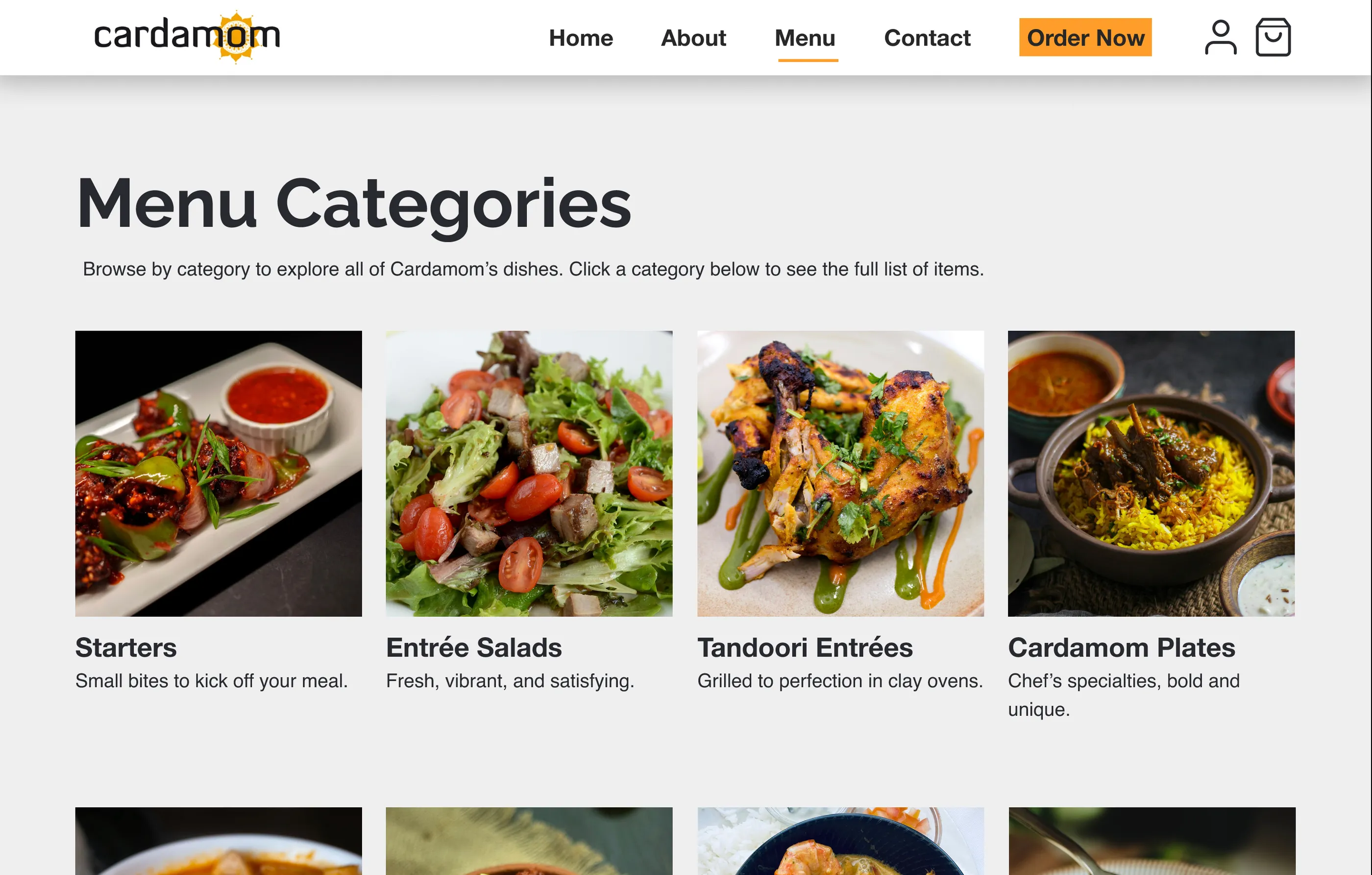
Added short descriptions under “Menu Categories” titles for clarity and to help users understand what’s in each section.
Before

After

Iteration 2: Improved navigation & accessibility
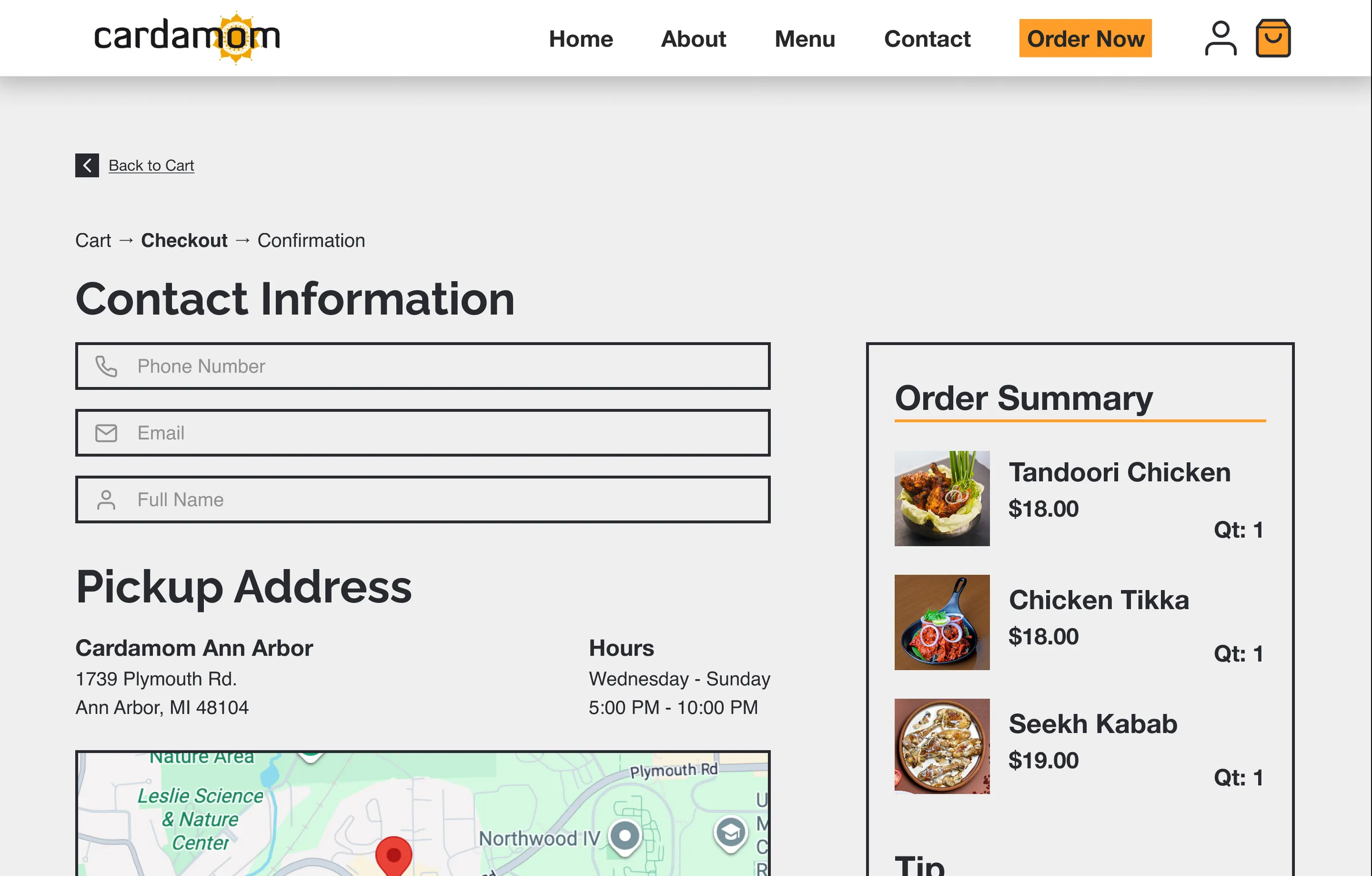
Added back buttons to the checkout process and retained existing breadcrumb navigation.
Before

After

Final designs
A clickable prototype of the checkout experience for ordering Tandoori Chicken and completing the full purchase process, designed for both desktop (1440px) and mobile (390px) screens.
View interactive prototype(opens in new tab)
Homepage
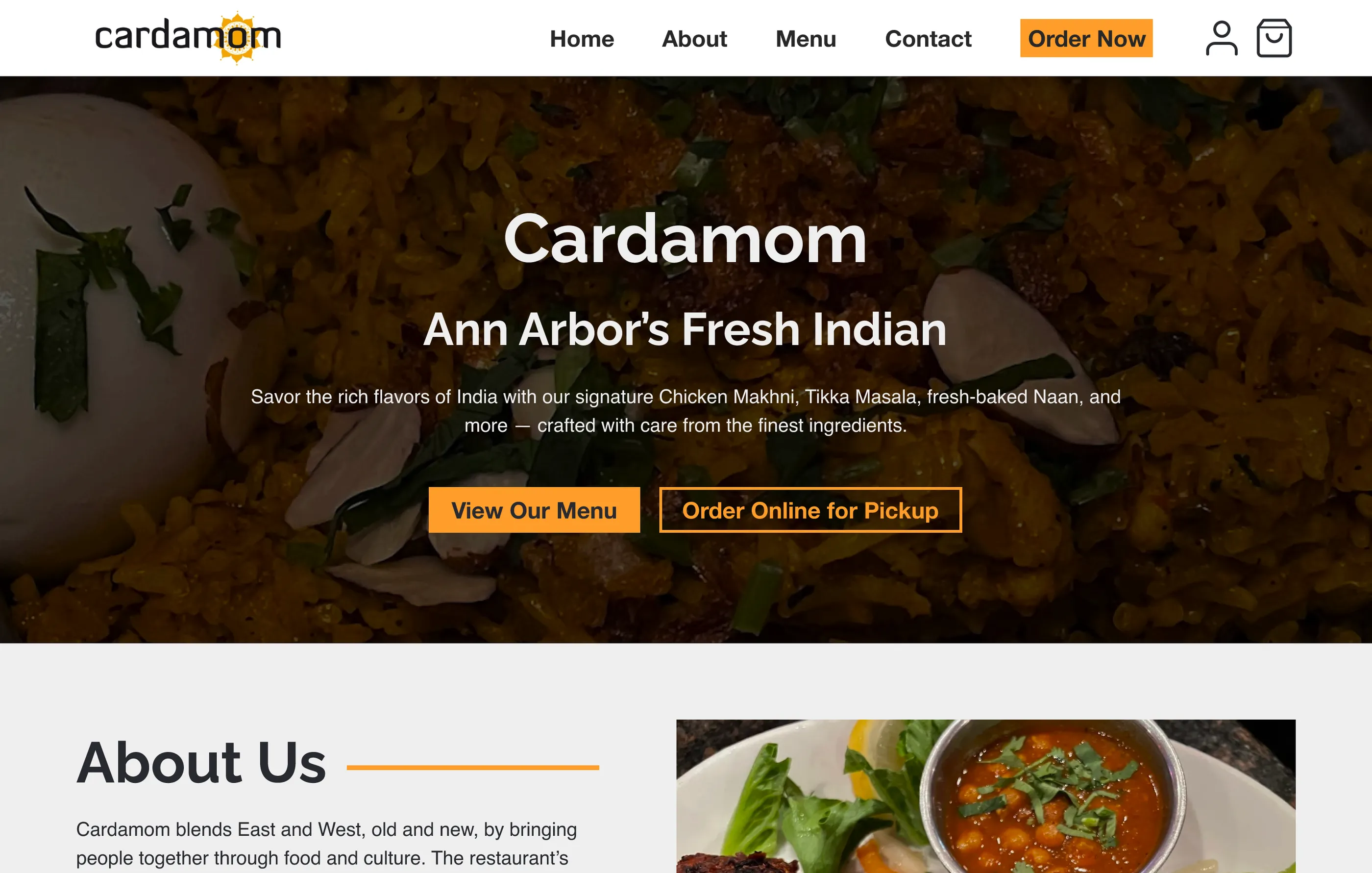
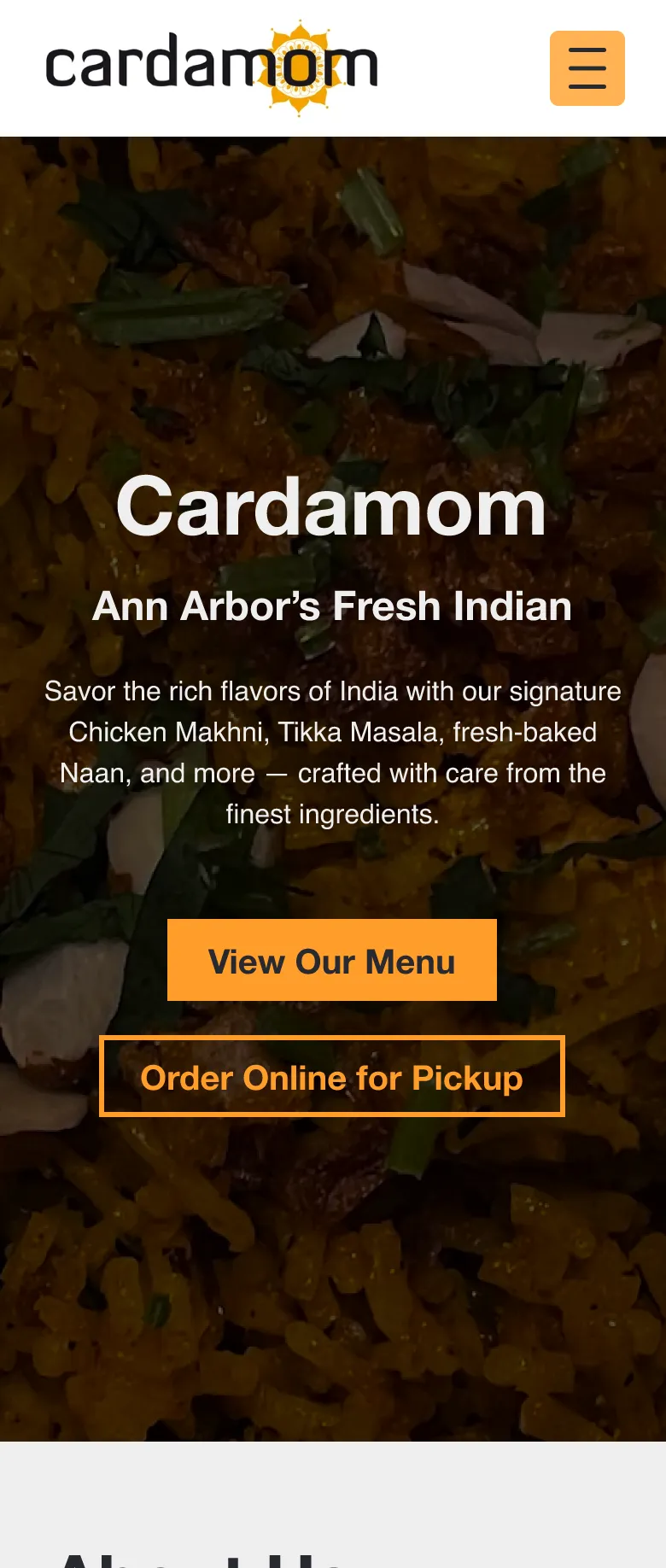
Introduces Cardamom with hero imagery, restaurant info, and prominent “Order Now” CTA. Designed to be welcoming and set brand expectations immediately.

Desktop

Mobile
- Navigation Design
- Brand Identity
- Clear CTAs
Menu categories
Clear organization of food sections with visual cards, descriptions, and imagery. Helps users quickly find what they’re looking for without excessive scrolling.

Desktop

Mobile
- Information Architecture
- Visual Hierarchy
- Card Design
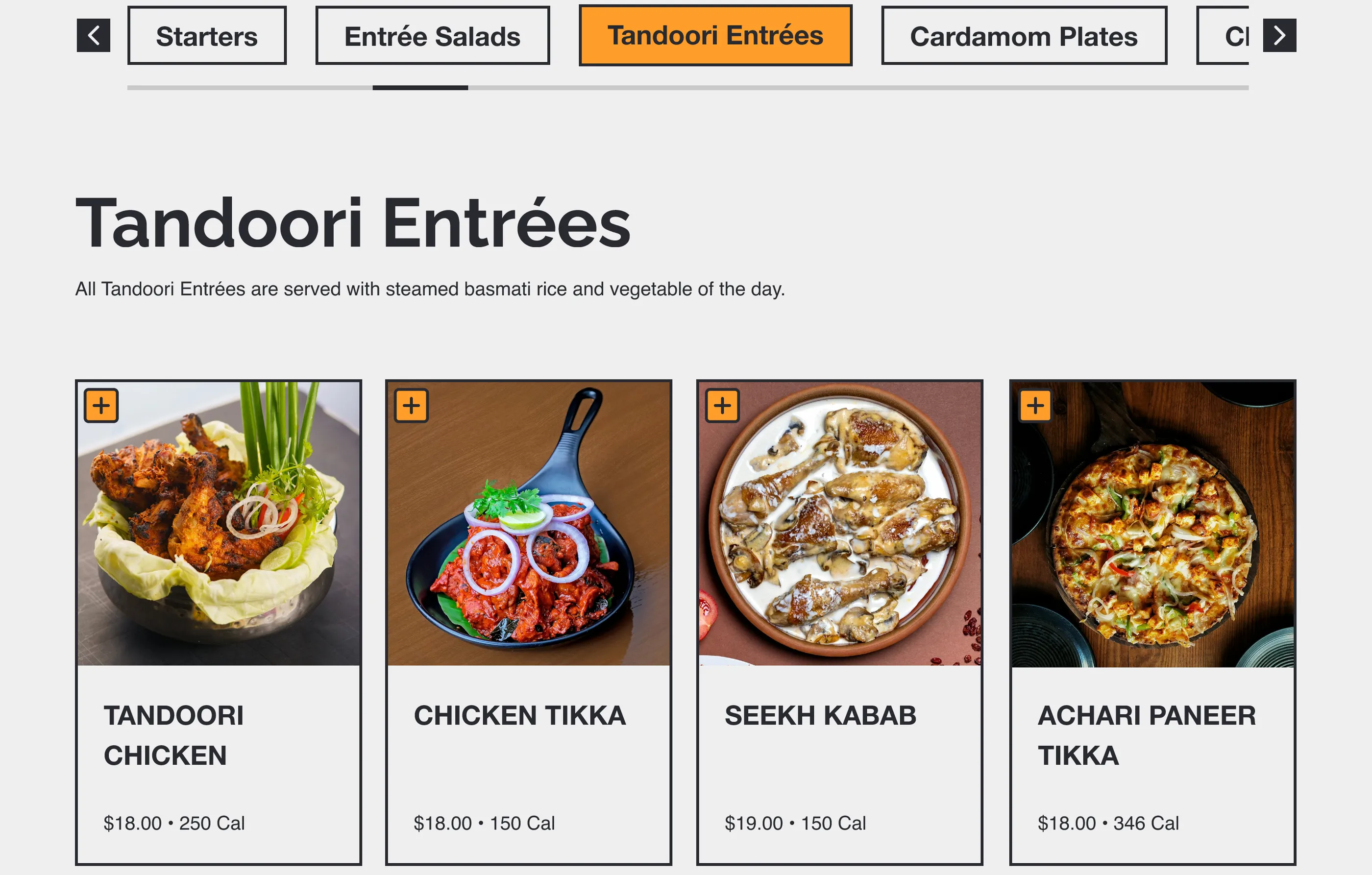
Product listing & detail
Individual menu items displayed with images, descriptions, prices, and “Add to Cart” functionality. Detail pages provide additional information and customization options.

Desktop

Mobile
- E-commerce Patterns
- Affordances
- Readability
Cart & checkout
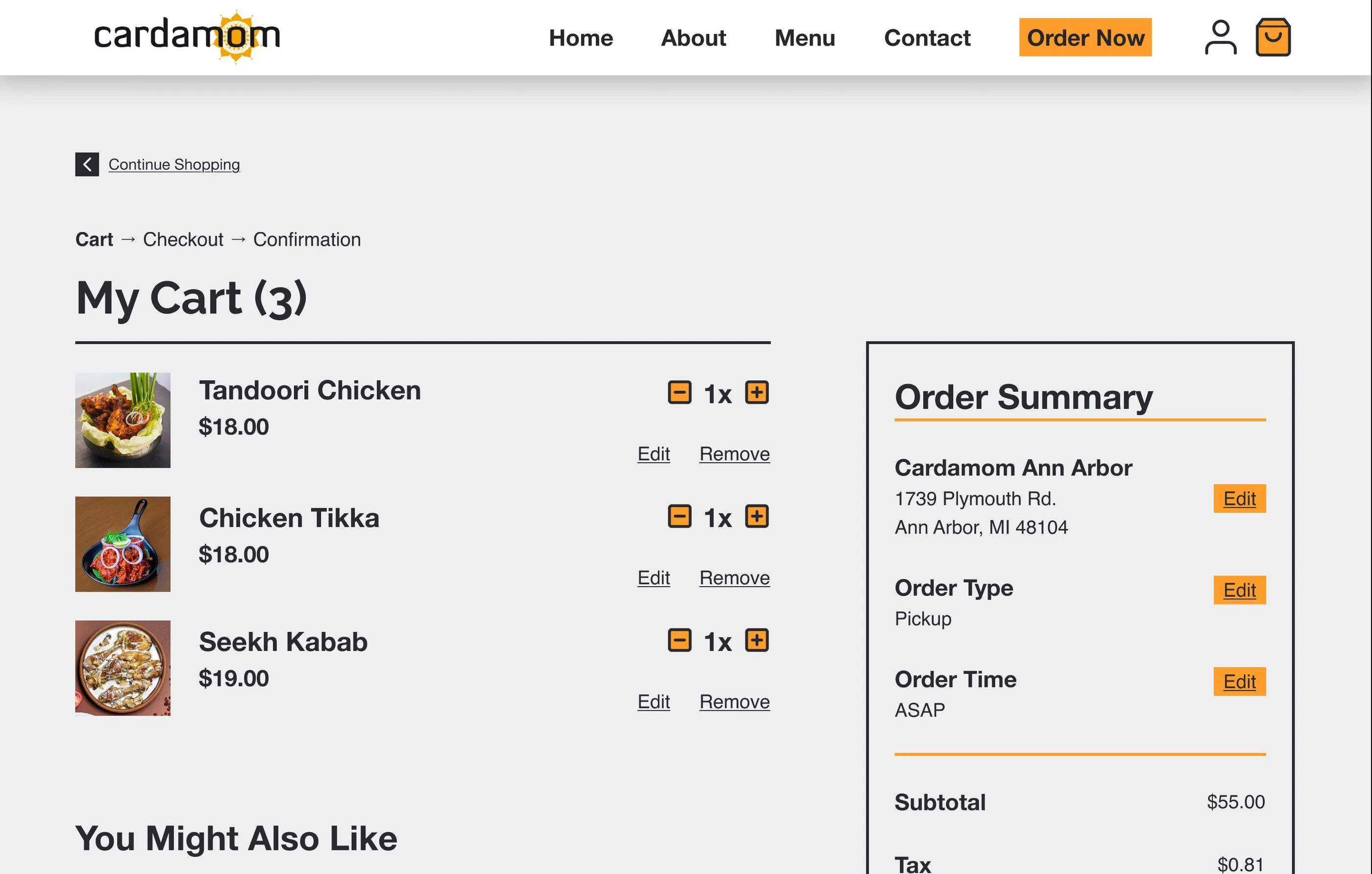
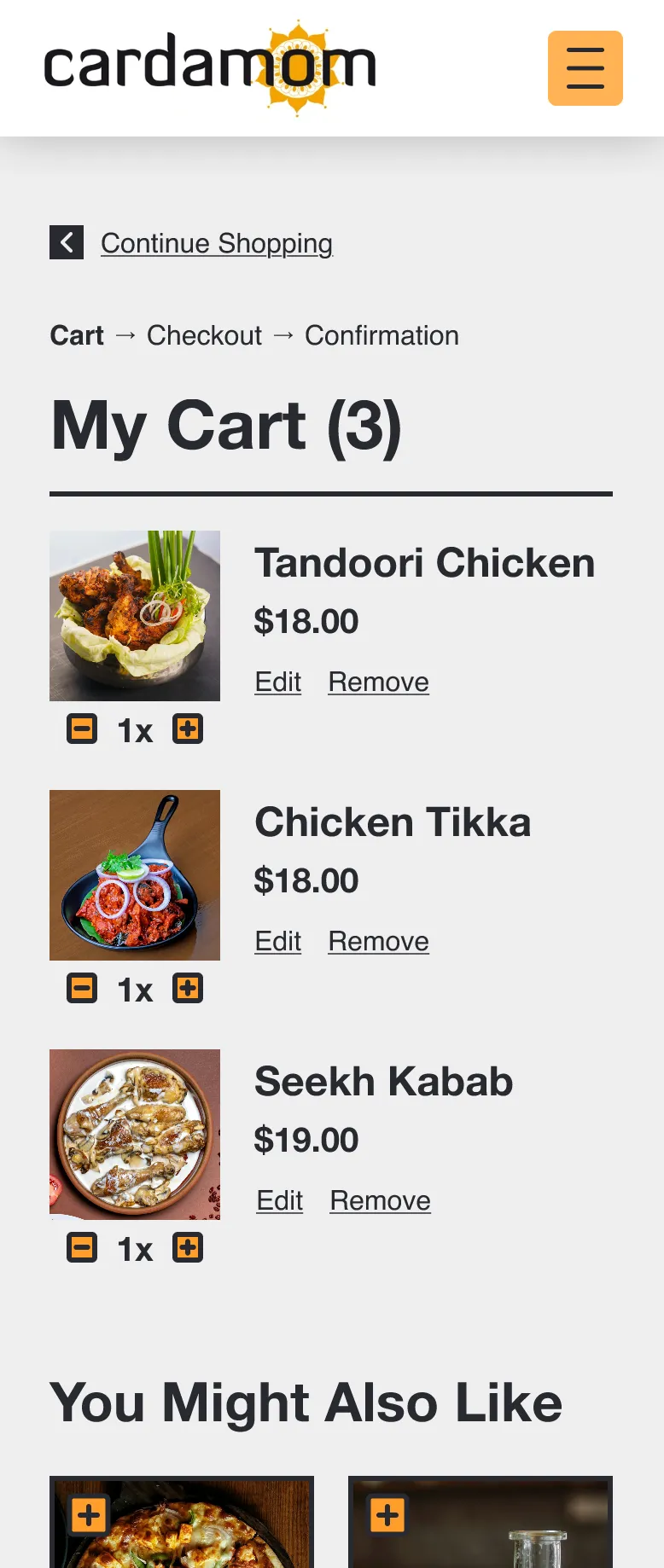
The centerpiece of the redesign: a complete cart and checkout experience that replaces phone-based ordering. Includes item review, quantity adjustment, breadcrumb navigation, and form validation.

Desktop

Mobile
- Task Completion
- Error Prevention
- Feedback & Constraints
- Accessibility
Impact & reflection
Results from usability testing
- Easy & IntuitiveUsers described navigation as straightforward
- Visually AccessibleImproved contrast and readability noted
- Problem SolvedCart successfully addresses main pain point
This is so much easier than calling in. I can see everything I’m ordering and make changes without feeling rushed.
My top 3 contributions
- Designed full e-commerce checkout flow from scratch Built cart, checkout pages, and form validation that didn’t exist before
- Created cart experience to replace phone-based ordering Directly solved the main user pain point and business need
- Improved accessibility and navigation clarity Enhanced layout, color contrast, and added breadcrumb navigation based on testing
What made this project unique?
This redesign focused on transforming a real local restaurant’s outdated website into a fully functional online ordering experience that didn’t previously exist. It combined UX research, usability testing, and visual design to solve a genuine business pain point while maintaining Cardamom’s authentic brand identity and cultural essence.